Author: admin

  • Clownfish Voice Changer Review: 7 Must-Know Features & Insights

    Clownfish Voice Changer Review: 7 Must-Know Features & Insights

    Clownfish Voice Changer Review for 2025 Features and Performance
    Image Source: pexels

    Have you ever wanted to change your voice in real time? Clownfish Voice Changer makes it possible with its advanced features and seamless performance. Whether you’re gaming, streaming, or just having fun, this tool lets you adopt unique voices or even create custom effects. Gamers love using clownfish to role-play characters or disguise their identity. Professionals use it for voice-over projects or online privacy. With its extensive soundboards and compatibility with platforms like Discord, clownfish transforms how you interact online. It’s no wonder this voice changer review highlights it as a top choice in 2025.

    Key Takeaways

    • Clownfish Voice Changer changes your voice instantly during use. It is great for gaming, streaming, or chatting online.

    • The app works on Windows, Mac, Android, and iOS devices. This makes it easy for everyone to use.

    • Clownfish has many voice effects and soundboards. You can change your voice for fun or work.

    • In 2025, its AI got better, making voices sound smoother and more real.

    • Clownfish is free, so anyone can use it to improve online talking.

    Overview of Clownfish Voice Changer

    What is Clownfish Voice Changer?

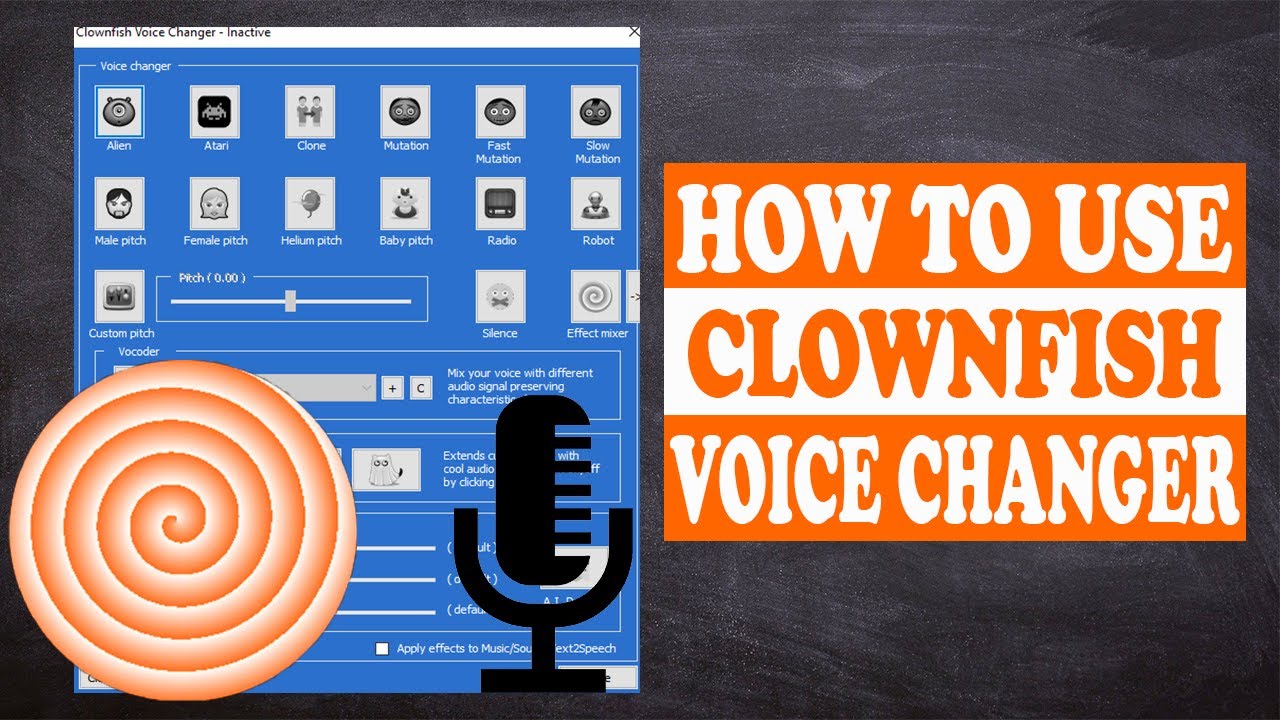
    Clownfish Voice Changer is a versatile voice modification software that lets you transform your voice in real time. Whether you’re chatting with friends, streaming to an audience, or playing games, this tool makes your interactions more exciting. It offers a wide range of features, including real-time voice modulation, text-to-speech conversion, and even a soundboard for playing pre-recorded sounds.

    Here’s a quick look at what makes clownfish stand out:

    Feature

    Description

    Real-time voice modulation

    Modify your voice instantly during calls or streams.

    Compatibility

    Works with various VoIP applications, ensuring smooth performance across platforms.

    Voice effects

    Choose from effects like pitch shift, gender change, robot voice, and more.

    Text-to-speech

    Convert typed text into spoken words, perfect for announcements or alerts.

    Audio player

    Play background music and mix it with your voice in real time.

    Soundboard

    Use pre-recorded sounds or customize your own sound library.

    Voice recorder

    Record conversations or save voice samples for later use.

    This voice changing software is packed with tools to make your online presence more dynamic and fun.

    Compatibility and Supported Platforms

    Clownfish Voice Changer works on a variety of platforms, making it accessible to almost everyone. Whether you’re using a PC, Mac, or mobile device, you can enjoy its features without any hassle. Here’s a breakdown of its supported platforms:

    Platform/OS

    Supported Versions

    Windows

    Vista, 7, 8, 8.1, 10, 11

    Mac

    Yes

    Android

    Yes

    iOS

    Yes

    You can install clownfish on your favorite device and start exploring its features right away. Its compatibility with popular VoIP applications like Discord and Skype ensures a seamless experience.

    Purpose and Target Audience

    Clownfish Voice Changer is designed for anyone who wants to add a creative twist to their voice. Gamers often use it to role-play characters or keep their identity private. Streamers love how it enhances their content with unique voice effects and soundboards. Professionals also rely on clownfish for voice-over projects or to maintain privacy during online meetings.

    If you’re looking for a tool to make your conversations more engaging or your content more entertaining, clownfish is a great choice. Its user-friendly interface ensures that even beginners can start using it without any trouble.

    Features and Performance in 2025

    Features and Performance in 2025
    Image Source: pexels

    Key Features of Clownfish Voice Changer

    Real-Time Voice Transformation

    One of the most exciting aspects of Clownfish Voice Changer is its ability to modify your voice in real time. Whether you’re chatting on Discord, streaming on Twitch, or playing games, this feature lets you transform voices instantly. You can sound like a robot, an alien, or even change pitch and speed to create unique effects. The real-time voice change functionality ensures that your audience hears the modified voice without any noticeable delay. This makes it perfect for live interactions where timing is everything.

    Extensive Voice Effects and Soundboards

    Clownfish offers a wide range of voice effects that cater to every need. You can choose from filters like pitch shift, gender change, and robotic tones. If you’re feeling creative, you can even customize your own effects. The built-in soundboard adds another layer of fun by letting you play pre-recorded sounds during conversations or streams. Imagine surprising your friends with a dramatic sound effect or enhancing your gaming experience with custom audio clips. These features make Clownfish a versatile tool for anyone looking to spice up their online interactions.

    New Updates and Improvements in 2025

    Enhanced AI Algorithm for Better Sound Quality

    In 2025, Clownfish Voice Changer has taken a leap forward with its enhanced AI algorithm. This update significantly improves sound quality, making your voice modifications smoother and more natural. You’ll notice fewer distortions and a more seamless integration of effects. Whether you’re using it for professional voice modulation or casual fun, the improved clarity ensures a top-notch experience.

    Integration with Macro Keys and Stream Decks

    Another game-changing update is the integration with macro keys and stream decks. This feature allows you to control voice changing effects and soundboards with a single press of a button. If you’re a streamer, you’ll love how this simplifies your workflow. You can switch between effects or play sound clips without interrupting your stream. It’s a small addition that makes a big difference in usability.

    Performance Evaluation

    Speed and Responsiveness

    Clownfish Voice Changer excels in speed and responsiveness. The software processes your voice modifications instantly, ensuring there’s no lag during live interactions. This is especially important for gamers and streamers who rely on real-time voice change to keep their audience engaged. You’ll appreciate how smoothly it runs, even when using multiple filters simultaneously.

    Stability and Reliability

    Stability is another area where Clownfish shines. The software is designed to handle long sessions without crashing or slowing down. Whether you’re streaming for hours or hosting a lengthy online meeting, you can count on Clownfish to perform reliably. Its compatibility with various platforms also ensures a consistent experience across devices.

    How to Use Clownfish Voice Changer?

    Installation Guide for Clownfish Voice Changer

    Getting started with Clownfish Voice Changer is simple. Follow these steps to install it on your device:

    1. Visit the official Clownfish website and download the latest version of the software.

    2. Open the downloaded file to launch the installation wizard.

    3. Choose your preferred installation location and complete the setup process.

    4. Once installed, right-click the Clownfish icon in your system tray to access the settings menu.

    5. Install the microphone feature and set it as your default input device.

    6. Configure the voice changer options and select your desired effects.

    After completing these steps, you’re ready to change your voice during calls, streams, or gaming sessions. The process is quick and user-friendly, so you’ll be up and running in no time.

    Setting Up Voice Effects and Customization

    Once Clownfish is installed, it’s time to explore its voice effects and customization options. Here’s how you can set it up:

    1. Open the application and right-click the Clownfish icon in the system tray.

    2. Select the “Voice Changer” option to access the effects menu.

    3. Check the “Hear Microphone” option to listen to your modified voice in real time.

    4. Experiment with different effects like pitch shift, robotic tones, or gender changes.

    5. Adjust the pitch to a specific frequency for a custom sound.

    You can also use the built-in music player or add Virtual Studio Technology (VST) plugins for enhanced audio control. Don’t hesitate to mix and match settings to create unique vocal transformations. Just remember to keep it realistic for the best results.

    Tips for Optimizing Performance

    To get the most out of Clownfish Voice Changer, follow these tips:

    • Make sure your system has enough resources to run Clownfish alongside other applications.

    • Use a high-quality microphone for clear and professional sound.

    • Reboot your computer before starting a session to ensure smooth performance.

    • Monitor your microphone input and adjust settings as needed.

    • Keep the software updated to access the latest features and improvements.

    By following these best practices, you’ll enjoy a seamless experience whether you’re gaming, streaming, or just having fun with voice effects.

    Clownfish Voice Changer: Use Cases and Practical Applications

    Use Cases and Practical Applications
    Image Source: pexels

    Gaming and Streaming

    If you’re into gaming or streaming, Clownfish is a game-changer. It lets you change your voice in real time, adding a whole new layer of excitement to your sessions. Imagine role-playing as a mysterious character in Fortnite or surprising your teammates in TeamSpeak with a robotic tone. You can even use it to prank your friends during voice chats on Discord or Steam. The possibilities are endless!

    Streamers love Clownfish because it keeps their content fresh and engaging. You can use the voice changer for streaming to entertain your audience with unique voices or sound effects. Switching between effects is seamless, so you can keep the fun going without missing a beat. Whether you’re streaming on Twitch or chatting with your gaming squad, Clownfish makes every interaction more entertaining.

    Professional Voice Modulation

    Clownfish isn’t just for fun; it’s also a powerful tool for professionals. You can use it to enhance your online communication or create high-quality voiceovers for presentations and videos. Need to maintain privacy during calls? Clownfish has you covered. It lets you alter your voice to stay anonymous while still sounding clear and professional.

    This tool is also a great aid for accessibility. If you or someone you know has speech difficulties, Clownfish can modify the pitch or clarity of your voice to make communication easier. Whether you’re in a virtual meeting or recording content, Clownfish ensures you sound your best.

    Creative and Fun Applications

    Looking to add some humor to your calls or create humorous audio clips? Clownfish is perfect for that too. You can use it on platforms like Skype, Zoom, or Hangouts to prank your friends or lighten the mood during meetings. It’s also a hit in gaming communities like Mumble or Ventrilo, where you can change your voice to surprise your teammates.

    Want to get creative? Use Clownfish to change your voice in Discord or experiment with effects for your next video project. From adding humor to calls to creating unique audio clips, Clownfish opens up a world of fun and creativity.

    Best Alternative to Clownfish Voice Changer 2025

    If you’re looking for the best alternative to clownfish voice changer, Dubbing AI might just be the tool you need. It’s packed with advanced features and offers a seamless experience for voice modulation. Whether you’re a gamer, streamer, or professional, this tool has something for everyone.

    Dubbing AI Features

    Dubbing AI stands out with its cutting-edge features. It uses advanced AI to deliver high-quality voice transformations. You can choose from a variety of effects, including pitch adjustments, robotic tones, and even accents. The tool also supports real-time voice changes, making it perfect for live interactions.

    What makes Dubbing AI unique is its focus on user convenience. It integrates smoothly with popular platforms like Discord and Zoom. You can also customize your voice settings to match your preferences. Plus, the tool’s intuitive interface ensures you won’t feel overwhelmed, even if you’re new to voice changers.

    Step-by-step Guide to Use Dubbing AI Voice Changer

    Getting started with Dubbing AI is easy. Follow these steps to set it up:

    1. Download Dubbing AI from the official website.

    2. Run the installation file and follow the prompts to complete the setup.

    3. Open Discord and go to the settings menu.

    4. Find the “Voice & Video” section in the settings.

    5. Select “Dubbing Virtual Device” as your microphone input under “Input Device.”

    6. You’re ready to start using Dubbing AI for voice modulation!

    This simple process ensures you can start exploring the tool’s features without any hassle.

    Which Tool is Best for Different Use Cases?

    Choosing between clownfish and Dubbing AI depends on your needs. If you want a straightforward tool with basic features, clownfish is a great choice. It’s reliable and works well for casual gaming or streaming.

    On the other hand, Dubbing AI is ideal for those who need advanced customization and superior sound quality. Its AI-powered features make it perfect for professionals and serious streamers. If you’re looking for the best alternative to clownfish voice changer, Dubbing AI offers a more modern and versatile solution.

    Clownfish Voice Changer in 2025 stands out with its free availability, real-time voice modifications, and compatibility across multiple platforms like Windows and Android. Its straightforward interface and features like text-to-speech and soundboards make it accessible to everyone. While installation may have minor glitches, the tool’s versatility and positive user feedback make it a reliable choice. Whether you’re a gamer, streamer, or professional, Clownfish offers something for everyone. If you want a fun, easy-to-use voice changer, this tool is worth trying.

    FAQ

    How do I fix Clownfish Voice Changer if it stops working?

    🛠️ Tip: Restarting often solves the issue!

    1. Check if your microphone is set as the default input device.

    2. Reinstall Clownfish to ensure all components are updated.

    3. Update your audio drivers for compatibility.

    Can I use Clownfish Voice Changer on mobile devices?

    Yes, you can! Clownfish works on Android and iOS. Download the app from your device’s app store, install it, and follow the setup instructions. You’ll enjoy the same fun voice effects as on your computer. 🎉

    Is Clownfish Voice Changer free to use?

    Absolutely! Clownfish is free for everyone. You can download it from the official website without worrying about hidden fees or subscriptions. It’s a budget-friendly way to enhance your voice-changing experience. 💸

    Does Clownfish work with all microphones?

    Most microphones work with Clownfish. However, using a high-quality microphone improves sound clarity and performance. If you experience issues, check your microphone settings or try a different device.

    Can I create custom voice effects in Clownfish?

    Yes, you can! Use the pitch adjustment slider to tweak your voice. Combine effects like robotic tones or gender changes for unique results. Experimenting with settings helps you create something truly one-of-a-kind. 🎤

    See Also

    Explore Top Celebrity Voice Changing Apps for Fun

    Top AI Voice Changing Tools for Creative Content Makers

    Uncover New AI Voice Cloning Solutions for Realistic Voiceovers

    Dubbing AI: The Best Voice Changing Tool for Discord

    Harnessing AI Voice Changers for Engaging Online Video Content

  • Secrets to Make Punch Sound Effects That Hit Hard

    Secrets to Make Punch Sound Effects That Hit Hard

    Punch sound effects are the lifeblood of high-energy action sequences, making hits feel real and dramatic. From blockbuster fight scenes to viral TikTok edits, these impactful sounds have become essential in creating immersive and engaging content. Regardless of your experience level, mastering punch sound effects can transform your videos, games, animations, or even your pranks into unforgettable experiences.

    In this article, we’ll explore why punch sound effects are gaining popularity, reveal the best techniques to create them—including using AI-powered soundboards—and share creative applications to make your content hit harder than ever. Let’s dive in!

    Why Punch Sound Effects Are Trending Nowadays?

    Punch sound effects are not just background noises—they enhance storytelling, intensify moments, and engage audiences by triggering emotions. Here’s why they are trending today:

    The Rise of Social Media Content

    Short-form videos on platforms like TikTok, Instagram Reels, and YouTube Shorts have sparked massive demand for engaging content. Punch sound effects are often used in action, humor, and prank clips to grab attention and drive engagement.

    Enhanced Realism in Gaming and Animation

    Modern gaming and animated videos require top-notch sound design to hold up against increasingly realistic visuals. Punch sound effects amplify fight scenes, battles, or slapstick moments, making users feel immersed in the experience.

    Increasing Accessibility of Audio Tools

    It’s never been easier to create or use punch sound effects. With advanced sound editing software, free sound libraries, and innovative AI-powered soundboards, anyone can access sounds that once required professional studios.

    Essential Ingredient for Comedy and Action

    From exaggerated punches in cartoons to intense combat moments in films, punch sound effects bring energy and entertainment. They’ve become a go-to choice for creators aiming to evoke laughter or excitement.

    Growing Preference for Immersive Content

    Today’s audiences crave realism and immersion. Punch sound effects help bring scenes to life, whether it’s a superhero fight or a quirky prank video.

    Best Ways to Create Punch Sound Effects

    Creating punch sound effects may sound complex, but it’s easier than you might think, thanks to clever techniques and accessible tools. Here are the best methods to craft realistic or exaggerated punch sounds:

    Traditional Foley Art Techniques

    Foley artists rely on everyday objects to create punch sound effects, a technique honed over decades in filmmaking. Here’s how you can replicate their methods:

    • Vegetables: Crushing celery or breaking cabbage provides a sharp, crunchy sound reminiscent of bones or a light punch.

    • Leather Gloves: Whipping or snapping leather gloves creates a quick, impactful sound often used for punches.

    • Meat: Slapping raw meat generates a wet, visceral sound perfect for intense punches.

    • Sandbags: Punching sandbags gives a muffled but heavy tone, ideal for body blows.

    Experimenting with different objects will let you tailor sounds to your needs, whether for realistic fight scenes or cartoonish drama.

    DIY Methods with Everyday Items

    No professional studio? No problem! You can create punch effects at home using simple tools:

    • Books: Slapping an open book gives a sharp, snappy sound.

    • Bubble Wrap: Popping bubble wrap creates a crackling effect that works for exaggerated punches.

    • Pillows: Punching pillows creates a low, muffled thud that resembles larger hits.

    • Metal Sheets: Bending thin metal sheets produces a sound that can simulate armor impacts.

    You can layer these sounds together to add depth or adjust them using editing software.

    Use Audio Editing Software

    For creators looking to refine or enhance raw recordings, audio editing software is a game-changer. Popular choices include Audacity, Adobe Audition, and Logic Pro X. With these, you can:

    • Combine multiple layers for depth (e.g., a celery crunch combined with a leather snap).

    • Adjust pitch and EQ to match the tone of your scene (low tones for impactful punches, high tones for comedic ones).

    • Include effects like reverb to simulate spaces (e.g., punches in a large hall or a crowded street).

    Download Royalty-Free Punch Sounds

    Sometimes you need punch sound effects quickly. Royalty-free libraries like Freesound, Artlist, SoundSnap, and Pixabay Audio offer pre-made sounds for instant use. Search by keywords such as “realistic punch effects” or “cartoon punch sounds” to find the right match for your project.

    Use Punch Soundboards in Dubbing AI

    Soundboards are revolutionary tools for sound design. With platforms like Dubbing AI, or online soundboards, you can access hundreds of punch sound effects at your fingertips.

    What sets Dubbing AI apart is its ability to:

    • Large Sound Gallery.

    • Download high-quality sound effects for free.

    • Save hours of manual editing work by offering ready-to-use sound effects.

    Punch soundboards are perfect for everyone—from seasoned sound designers to beginners trying to enhance their creative projects.

    Use Punch Sound Effects to Prank Your Friends

    Punch sound effects aren’t just for serious production—they can also add hilarity to pranks. Here are a few creative ways to use punch sounds for harmless fun with friends:

    Comedy Phone Prank

    Call a friend and use an AI-powered soundboard to pretend you’re in an epic fistfight. Spice up the prank with exaggerated sound effects to confuse them or make them laugh.

    Meme Video Remakes

    Overlay punch sound effects onto random footage—like someone dropping an object or tripping—for hilarious results. Share your edits on social media and watch your friends crack up.

    Visual Gesture Punch

    Pair a well-timed punch sound effect with dramatic hand movements to create fake “hit” scenarios. The impact of the sound will make people believe the action is real.

    Sudden Loud Punch Surprise

    Play a sudden, loud punch sound during a quiet moment to catch your friends off guard. Perfect for birthday parties or casual hangouts.

    These pranks are perfect for adding lighthearted fun to moments, and with punch soundboards, you can execute them flawlessly.

    Conclusion

    Punch sound effects have come a long way, evolving from simple recordings to sophisticated tools available to anyone. Whether you’re looking to enhance your videos or games, prank your friends, or dive into professional sound design, punch sound effects are an essential tool for impactful content.

    From old-school Foley techniques and DIY setups to cutting-edge AI soundboards, there are countless ways to craft punch sound effects that hit hard. So, experiment with the techniques in this guide, tailor your sounds to your needs, and let your creativity shine!

  • Streamlabs vs OBS: Which Software Offers Better Features

    Streamlabs vs OBS: Which Software Offers Better Features

    Streamlabs vs OBS: Which Software Offers Better Features
    Image Source: unsplash

    When deciding between streaming software, understanding your needs is crucial. In the debate of Streamlabs vs OBS, Streamlabs stands out for its simplicity and built-in tools like alerts and overlays, making it ideal for beginners. On the other hand, OBS Studio is a better choice for advanced users, as it uses less CPU, offers extensive customization options, and supports plugins, providing greater control for creators. Whether you’re livestreaming, recording, or aiming to optimize performance, the choice between Streamlabs vs OBS should align with your goals. Both platforms are free, compatible with many devices, and offer flexibility for all users.

    Key Takeaways

    • Streamlabs is great for beginners. Its easy tools and design help you start streaming fast.

    • OBS Studio is better for advanced users. It lets you customize more and uses less computer power, making it great for high-quality streams.

    • Both are free, but Streamlabs has extra paid tools. OBS is fully free and has plugins made by the community.

    • If your computer is old or slow, pick OBS Studio. It works well on weaker systems, while Streamlabs might be slower because it needs more power.

    • Check out tutorials and support for both. Streamlabs is simple for beginners, and OBS has guides for advanced users.

    Overview of Streamlabs vs OBS

    What is Streamlabs?

    Streamlabs is software that helps you stream live content easily. It has features like alerts, overlays, and widgets built-in. This makes it great for people new to streaming. Streamlabs OBS is a version of OBS Studio but simpler to use. It has tools to make your streams look professional. Its clean design and templates let you start streaming fast. You don’t need to know much about tech to use it. But, because it has many features, it needs a strong computer to work well.

    What is OBS?

    OBS Studio is free software for streaming and recording videos. It’s popular with advanced users because it’s lightweight and customizable. You can change settings like bitrate, resolution, and encoding to improve performance. Its interface lets you arrange tools the way you like. OBS uses less CPU and RAM, so it works well on older or weaker computers. It’s harder to learn, but its flexibility and plugins make it a top choice for experienced streamers.

    Key Differences Between Streamlabs and OBS

    Feature

    OBS Studio

    Streamlabs OBS

    Customization

    Very customizable with many plugins

    Limited changes, focuses on being simple

    User Interface

    Flexible layout you can adjust

    Easy-to-use and polished design

    Learning Curve

    Harder to learn, needs tech skills

    Easy to set up with pre-made tools

    When comparing Streamlabs and OBS, the main differences are in customization, performance, and ease of use. OBS Studio is lightweight and offers advanced options, making it good for users who want full control. Streamlabs OBS is easier to use and has built-in tools for beginners. But, Streamlabs uses more CPU, which can cause lag on weaker computers. OBS Studio uses fewer resources, so it runs smoothly even with demanding tasks.

    Feature Comparison in Streamlabs vs OBS

    Feature Comparison in Streamlabs vs OBS
    Image Source: unsplash

    User Interface and Ease of Use

    Streamlabs is easier to use for beginners. Its design is clean and simple to understand. You can quickly set up streams using its menus. It has ready-made templates and built-in tools. This means you don’t need to know much about tech to start. Many people like how easy it feels, especially if they are new to streaming.

    OBS Studio, however, is more flexible but harder to learn. You can change the layout to fit your needs. But this flexibility makes it more complicated to use. If you like adjusting settings and exploring features, OBS is a good choice. For simple streaming, though, Streamlabs is often preferred because it’s easier to use.

    Customization Options

    OBS Studio is great for making detailed changes. You can adjust settings like resolution, bitrate, and encoding. You can also move tools around to match how you work. This control makes OBS popular with advanced users who want everything just right.

    Streamlabs doesn’t offer as many changes but still has good options. You can pick overlays, widgets, and themes to make your streams unique. These tools help you create a professional look without much effort. But if you want more control, OBS is the better option.

    Plugins and Integrations

    Both Streamlabs and OBS support plugins and extra tools. Streamlabs has widgets and extensions to improve your streams. It includes features like a donation system and chatbot. These tools help you connect with your viewers easily.

    OBS Studio has more advanced plugins made by the community. These let you add special features like video editing or audio tools. You can also monitor performance better. OBS is perfect for users who want to explore all the possibilities of streaming software.

    Streaming and Recording Capabilities

    Both Streamlabs and OBS Studio are great for streaming and recording. But they work differently to meet different user needs.

    Streamlabs makes streaming simple. It has built-in tools like overlays, alerts, and widgets. These features help you create professional streams easily. You can pick a theme or template to set up quickly. This makes Streamlabs OBS perfect for beginners or those who want fast results. It also works well with platforms like Twitch, YouTube, and Facebook Live. You can start streaming with just a few clicks.

    OBS Studio gives you full control over your stream settings. You can adjust resolution, bitrate, and encoding options. This makes it great for advanced users who like customizing their streams. OBS Studio is also excellent for recording. You can save high-quality videos without watermarks. This makes it a top choice for creators needing free, reliable software.

    Both tools allow multi-streaming. However, Streamlabs includes this in its premium plan. For OBS Studio, you need extra plugins or services, which take more setup. If you want easy-to-use tools, choose Streamlabs. If you prefer customization and better performance, go with OBS Studio.

    Tip: If your computer is slow, OBS Studio runs smoother because it uses fewer resources. Streamlabs OBS has more features but needs a stronger system.

    Performance and Resource Usage in Streamlabs vs OBS

    Performance and Resource Usage in Streamlabs vs OBS
    Image Source: pexels

    CPU and RAM Usage

    Streamlabs and OBS Studio use your computer’s power differently. Streamlabs OBS has built-in tools like overlays and alerts. These features make streams look great but need more CPU and RAM. If your computer is weak, it might lag or slow down.

    OBS Studio is simpler and uses fewer resources. It works better on computers with less power. You can change settings like resolution and bitrate to improve performance. This helps OBS Studio run smoothly, even for hard tasks like recording or streaming high-quality videos.

    Tip: For older computers, OBS Studio is a smarter pick. It uses fewer resources and keeps your system running well.

    Stability and Efficiency

    Streamlabs has easy-to-use tools and a nice design. But it can crash or freeze because it uses more resources. Long streams might cause problems, which can ruin your content.

    OBS Studio is stable and works efficiently. It rarely crashes, even during long use. Developers often update it to make it better. This makes OBS Studio a dependable choice for creators. Whether recording or streaming, it delivers great audio and video without issues.

    Performance on Low-End Systems

    If your computer is old, picking the right software is important. Streamlabs OBS may not work well on weak systems. Its features need more CPU and RAM, which can slow things down.

    OBS Studio is perfect for older computers. It’s lightweight and runs smoothly on low-power systems. You can adjust settings to fit your computer’s limits. This ensures good video and audio quality for streams and recordings. OBS Studio is ideal if you want solid performance without buying new hardware.

    Note: Starting with a basic setup? OBS Studio is free and works well for streaming and recording.

    Seamless Integration with Voice Changer

    Adding a voice changer can make your streams more fun. Both Streamlabs and OBS Studio let you use voice changers. However, the way they handle this feature is slightly different. Knowing how each works can help you pick the right one.

    Streamlabs is easy to use with voice changers. Its simple design lets you connect third-party software quickly. You can change microphone settings and add voice effects easily. You don’t need to know much about tech to set it up. This smooth process keeps your stream running while making it more entertaining.

    OBS Studio gives you more options for voice changers. You can use plugins or audio tools to get the effect you want. This takes more time but offers better control over sound quality. Its lightweight design ensures your computer runs well, even during high-quality streaming or recording.

    When deciding, think about what matters most to you. If you want quick and easy setup, go with Streamlabs. If you prefer more control and better sound, choose OBS Studio. Both work well with voice changers, so it depends on how much effort you’re willing to put in.

    Tip: Test your voice changer before streaming live. This helps avoid problems and keeps your stream or recording smooth.

    Cost and Monetization in Streamlabs vs OBS

    Free vs Paid Features

    Both Streamlabs and OBS Studio are free to use. However, they handle extra features differently. Streamlabs includes overlays and widgets for free. But, advanced tools like premium themes and multi-streaming need a paid subscription. OBS Studio is fully free and uses community plugins for extra features. These plugins give you advanced tools without any cost.

    Streamlabs OBS uses more CPU because of its built-in tools. OBS Studio is lighter and works better on weaker computers. If you want a free option that runs smoothly, OBS Studio is a good pick. But if you prefer convenience and don’t mind paying, Streamlabs might be better for you.

    Monetization Tools in Streamlabs

    Streamlabs is great for earning money while streaming. It has tools that make it easy to connect with viewers and get donations.

    Feature

    Benefit

    Donation Management

    Helps collect money with donation tools and many payment options.

    Enhanced Viewer Engagement

    Alerts and chat tools make streams more fun for viewers.

    Increased Monetization Opportunities

    Lets streamers earn through donations and subscriptions.

    These tools let you focus on streaming while Streamlabs handles the money side. If you want to make more money from streaming, Streamlabs is a strong choice.

    Cost-Effectiveness of OBS

    OBS Studio is a budget-friendly choice for streaming and recording. It’s completely free and doesn’t charge for advanced features. You can add free plugins made by the community to improve it. These plugins give you professional tools without spending money.

    OBS Studio’s lightweight design works well on most computers, even older ones. This makes it perfect for high-quality streaming without needing expensive gear. If you care about saving money and having flexibility, OBS Studio is the best option.

    Community Support and Accessibility in Streamlabs vs OBS

    Availability of Tutorials and Guides

    Starting live streaming is easier with good tutorials. Streamlabs has many guides on its website. These explain how to set up streams and use features like overlays. You can also watch step-by-step videos on YouTube to learn Streamlabs.

    OBS also offers helpful resources. Its website has written guides for users. Many creators post videos online showing how to adjust settings or use plugins. OBS tutorials are more detailed and suit advanced users. Both tools have plenty of video guides for visual learners.

    Community Forums and Support Channels

    Streamlabs and OBS both have active communities for help. Streamlabs has a support page where you can report issues. It also has a Discord server for tips and advice from other users.

    OBS depends on its forums for support. These forums discuss troubleshooting, plugins, and tips. You can ask questions and get help from experienced users. OBS also has a GitHub page for updates and fixes. If you like learning from others, OBS forums are very useful.

    Accessibility for Beginners and Advanced Users

    Streamlabs is great for beginners. Its simple design and built-in tools make streaming easy. You don’t need tech skills to start using it. This makes Streamlabs a favorite for new streamers.

    OBS is better for advanced users. It allows you to customize settings and use plugins for unique streams. Though harder to learn, it gives more control. If you’re ready to spend time learning, OBS can deliver professional results.

    Tip: New to streaming? Try Streamlabs first. Once skilled, switch to OBS for advanced options.

    Deciding between Streamlabs and OBS depends on your needs and skills. For beginners, Streamlabs is simple and has built-in tools like overlays. It makes streaming easy and quick to set up. OBS, however, is better for advanced users who want more control. It uses fewer computer resources and supports plugins for custom streams. Consider your computer’s power and what you need for streaming or recording before choosing.

    FAQ

    What makes Streamlabs and OBS different?

    Streamlabs is easy for beginners with tools like overlays. OBS gives more control and uses fewer computer resources. Pick Streamlabs for simplicity. Choose OBS if you want advanced features and better performance.

    Can I run Streamlabs or OBS on an old computer?

    OBS works well on older computers since it needs less power. Streamlabs uses more CPU and RAM because of its extra features. For smoother use on weak systems, OBS is the smarter choice.

    Is Streamlabs or OBS free to use?

    Both are free. Streamlabs has paid extras like multi-streaming and themes. OBS stays fully free and offers extra tools through free plugins made by the community.

    Which is better for recording videos?

    OBS is best for recording high-quality videos. You can change settings like resolution and bitrate for great results. Streamlabs also records but focuses more on live streaming.

    Can I switch from Streamlabs to OBS later?

    Yes, switching is easy. Both have similar features, so moving between them is simple. You might need to set up your layouts again, but both let you import and export profiles.

    Tip: Try both platforms first to find the one that works best for you.

    See Also

    How Dubbing AI Will Transform Gaming And Streaming Experiences

    Exploring AI Voice Changers To Enhance Online Video Content

    Top AI Voice Changers Every Content Creator Should Try

    Dubbing AI’s Impact On Gaming, Streaming, And Virtual Meetings

    2024 Overview: Real-Time Voice Modulation With Dubbing AI On Discord

  • Top Tips for Finding Free Rizz Soundboards Online

    Top Tips for Finding Free Rizz Soundboards Online

    Top Tips for Finding Free Rizz Soundboards Online
    Image Source: pexels

    Looking for free Rizz soundboards? You’re not the only one! These soundboards are great for games, videos, or joking with friends. But finding good ones isn’t always easy. Why pick bad options when free sound effects can improve your work? They’re cheap, legal, and make your sounds better.

    Tip: Use trusted websites to avoid copyright problems and stay safe.

    Key Takeaways

    • Visit trusted sites like Myinstants and Soundboardly to get free Rizz soundboards easily and safely.

    • Check out platforms like Voice.ai and Dubbing AI for custom soundboards that improve your audio without breaking copyright rules.

    • Join Reddit groups and social media to find new soundboards and share your own with others.

    What Are Rizz Soundboards?

    What Are Rizz Soundboards?
    Image Source: pexels

    What are Rizz soundboards and their features

    Rizz soundboards are digital tools with free sound effects. They help make your chats, videos, and streams more exciting. Think of them as a collection of cool sounds. You can use them for smooth pickup lines or funny jokes.

    These soundboards have useful features like noise reduction for clear audio. They also include over 300 sound options and are easy to use. You can react to awkward moments or add funny sounds to your content. A rizz soundboard has something for every situation.

    Why are Rizz soundboards so popular?

    Rizz soundboards are super popular, especially with younger people. The word “rizz” means charm and style, which makes them fun to use. Apps like TikTok and Discord have made them even more famous. People use rizz sounds in memes, videos, and group chats.

    Another reason they’re popular is that they’re easy to find. Many websites offer free rizz soundboards with royalty-free sounds. Whether you’re making videos or joking with friends, these soundboards add personality to your audio.

    How people use Rizz soundboards

    Rizz soundboards are not just cool—they’re super useful too. You can use them to joke with friends while gaming or make Discord calls more fun. Add funny sounds to TikTok videos or use smooth talker mode for pickup lines.

    Gamers enjoy using rizz soundboards to make games more fun. Content creators use them to make videos unique and entertaining. Whether for memes, streams, or chats, rizz soundboards are perfect for creativity and fun.

    Best Platforms for Free Rizz Soundboards

    Voice.ai for Custom Rizz Soundboards

    Voice.ai is great for making your own rizz soundboard. You can change sounds to fit your style easily. Many users say it helps them feel more confident in chats. It makes talking and gaming more fun and exciting. With cool features, it’s perfect for standing out in games or calls. Whether on Discord or making videos, Voice.ai improves your audio in a unique way.

    Soundboardly for Fast Downloads

    Need sounds quickly? Soundboardly is the best choice for you. It lets you download soundboards fast and for free. You’ll find many sound effects, including popular rizz sounds. This site is great for creators needing quick, good-quality audio. Use it for memes or to make your videos better. Soundboardly gives you what you need without wasting time.

    Geno’s Soundboard for Free Rizz Sounds

    Geno’s Soundboard has lots of free rizz sound clips. It’s perfect for gaming, streaming, or joking with friends. The site is easy to use, so finding sounds is simple. If you want royalty-free sounds to make your content fun, try Geno’s Soundboard. It’s a great place to explore and find the right sound.

    Myinstants for Quick Rizz Buttons

    Myinstants is all about speed and ease. It gives you rizz sound buttons you can use instantly. The site is simple and has many sounds to pick from. Use it in Discord calls or TikTok videos for fun or charm. Myinstants makes adding humor or style to your audio super easy.

    101 Soundboard for Meme and Rizz Sounds

    101 Soundboard is loved by meme fans. It has a big collection of meme and rizz sounds. The site is easy to browse, so finding sounds is quick. Whether you want something funny or smooth, this platform has it all. It’s great for adding personality to your projects.

    Safe Platform like Dubbing AI

    If safety matters to you, Dubbing AI is a smart pick. It has a trusted library of royalty-free rizz sounds. You won’t have to worry about copyright problems here. It’s perfect for creators who want safe, high-quality audio. Dubbing AI ensures your projects sound great and stay legal.

    Community and Social Media Resources

    Community and Social Media Resources
    Image Source: unsplash

    Reddit for finding free Rizz soundboards

    Reddit is a great place to find free rizz soundboards. Communities like r/soundboards and r/freesounds share cool soundboard ideas. People post tips, recommendations, and even custom soundboards they’ve made. If you need help, just ask! Reddit users are friendly and often give advice.

    Reddit’s upvote system makes finding good posts easy. Popular posts appear at the top, showing trusted soundboards. You might also find rare soundboards not on big websites. It’s a fun way to grow your collection and meet others who enjoy soundboards.

    TikTok for popular Rizz sound effects

    TikTok isn’t only for dances—it’s great for rizz sound effects. Creators use these sounds in videos, making them famous. Search hashtags like #rizzsounds or #soundboard to find new trends.

    Short TikTok clips let you hear sounds before downloading them. If you like a sound, check comments for links or advice. TikTok makes finding fresh sound effects easy and exciting.

    Social media groups for sharing soundboards

    Facebook and Discord groups are awesome for free rizz soundboards. These groups share sounds, talk about trends, and make custom soundboards. Joining lets you connect with people who love audio fun.

    You can also post your own soundboards or discoveries. It’s a cool way to grow your collection and help others. Whether you’re new or experienced, these groups offer tons of ideas and resources.

    Getting free Rizz soundboards is simple and fun. Websites like Myinstants and Soundboardly offer cool sounds quickly. Safe platforms like Dubbing AI keep you protected online. EaseUS VoiceWave has over 300 presets to try. Voicy offers 400 soundboards for unique projects. Use these tools to make your ideas amazing!

    FAQ

    What is the best way to download free Rizz soundboards?

    You can visit trusted platforms like Myinstants or Soundboardly. They offer quick downloads and a wide variety of royalty-free Rizz sounds.

    Tip: Always check for copyright-free options to stay safe!

    Can I use Rizz soundboards on mobile devices?

    Yes! Most platforms like Myinstants and Dubbing AI work on mobile. Just download the sounds or use their apps for easy access.

    Are Rizz soundboards safe to use?

    Absolutely, as long as you stick to trusted sites like Dubbing AI or Geno’s Soundboard. Avoid sketchy websites to protect your device from malware.

    🛡️ Note: Use antivirus software for extra security when downloading files.

    See Also

    Explore Various Sound Boards with Dubbing AI Community Sounds!

    Maximize Your Roblox Experience with Effective Sound Buttons

    Selecting The Perfect Voice Changer and Soundboard For Gaming

    Boost Your Gaming Experience Using Dubbing AI Soundboard

    Incorporate Pokemon Sound Buttons Into Your Valorant Gameplay

  • Best Free Soundwave Voice Changers You Need to Try This Year

    Best Free Soundwave Voice Changers You Need to Try This Year

    Best Free Soundwave Voice Changers You Need to Try This Year
    Image Source: pexels

    Have you noticed how popular soundwave voice changers have become lately? Whether you’re gaming, creating content, or chatting online, these tools add a fun twist to your interactions. They’re not just for laughs—they let you experiment with your voice or even protect your privacy. The best part? You don’t have to spend a dime! In 2025, free tools with advanced AI are making it easier than ever to transform how you sound. Why not give them a try?

    Key Takeaways

    • Try free soundwave voice changers to make gaming more fun. They let you be creative without spending money.

    • Pick easy tools like Dubbing AI or Voicemod if you’re new. These have simple designs and cool features for quick voice changes.

    • Make sure the voice changer works with your device. Check if it supports apps like Discord or Zoom before downloading.

    • Protect your privacy by choosing apps with clear rules. Keep your voice data safe and think before sharing custom voices online.

    • Play around with voice changer settings to make cool sounds. Change pitch and tone for stories, games, or just for fun.

    What is Soundwave?

    Soundwave is an iconic Decepticon from the Transformers universe, renowned for his loyalty to Megatron and his expertise in communication and espionage. Unlike other Decepticons, he is a master of surveillance, hacking, and cyber warfare, often playing a key role in executing strategic missions. With the ability to transform into devices such as satellites or advanced vehicles, Soundwave embodies intelligence and precision. In the Michael Bay movie series, he is depicted as a calculating and formidable ally of the Decepticons, further enhancing his reputation as one of their most trusted operatives.

    Top Free Soundwave Voice Changers in 2025

    Dubbing AI

    Dubbing AI is one of the best tools for changing voices. It’s great for anyone who wants to try cool voice effects. This app uses smart AI technology to make voices sound real and unique. Whether you’re making videos or just having fun, Dubbing AI lets you adjust your voice to fit your needs.

    What makes it awesome? It can change voices live while you talk. Use it for streaming, gaming, or even professional projects. The app is easy to use, so it won’t confuse you. Plus, it works on many platforms, making it super flexible.

    Pro Tip: If you’re new to these apps, try Dubbing AI first. It’s simple and has great features for beginners.

    Voicemod

    Voicemod is loved by gamers, streamers, and creators. It’s one of the top AI voice changers for adding fun to your projects. With Voicemod, you can turn your voice into something totally different. From robot sounds to cartoon voices, the choices are endless.

    Why do people love Voicemod?

    1. It’s perfect for gamers and streamers who want cool effects.

    2. It makes games and streams more exciting with fun voices.

    3. Social media creators use it to make creative content.

    4. Podcasters and voice actors try new voice styles with it.

    Voicemod gets great reviews for its creative tools. Some advanced features might seem tricky, but it’s still fun to use. If you need a live voice changer, Voicemod is a great pick.

    Clownfish Voice Changer

    Clownfish Voice Changer is another good choice for changing voices. It’s easy to use and works well for games, chats, or just having fun. You can add effects to your voice live, which is great for real-time use.

    Here’s why people like Clownfish:

    • It’s simple to use with an easy-to-understand interface.

    • It has basic voice-changing features, perfect for beginners.

    • It works on Windows and supports apps like Discord and Skype.

    Some users say it has delays and could improve its design. Still, Clownfish is a solid option for anyone wanting a simple voice changer.

    Tool Name

    Real-time Modulation

    Customization

    Platform Compatibility

    User Rating

    Clownfish Voice Changer

    Yes

    Low

    Windows

    4.0/5

    If you’re looking for a simple voice changer, Clownfish is worth trying. It’s easy, fun, and great for casual use.

    MorphVOX Junior

    MorphVOX Junior is a great free voice changer. It’s simple and lets you change your voice completely. Use it for gaming, chatting, or making content. The software is small and runs smoothly on most devices. You won’t have to worry about it slowing things down.

    Here’s why MorphVOX Junior is special:

    • High-Quality Voices: Choose from voices like robots, kids, or monsters. They sound very real.

    • Customizable Effects: Adjust settings to create sounds that fit your style.

    • Ease of Use: The design is easy to understand, perfect for beginners.

    But MorphVOX Junior has some downsides. It doesn’t have advanced features like live voice changes or deep customization. Still, it’s one of the best tools for beginners to try.

    Tip: Want more options? Upgrade to MorphVOX Pro for extra features and voices.

    Voxal Voice Changer

    Voxal Voice Changer is a top choice for casual and professional users. It has many features for gaming, podcasts, or voice-overs. You can sound like a robot, add background noise, or change your voice completely.

    Why is Voxal so popular?

    • Cross-Platform Compatibility: Works on both Mac and Windows devices.

    • Real-Time Voice Changing: Change your voice live during calls or streams.

    • Simple Setup: Start using it in just three easy steps.

    • Customization Options: Add effects or adjust settings to make unique sounds.

    Voxal is great for gamers and creators who want easy but powerful tools. It’s perfect for improving your audio experience.

    Why Choose Voxal?

    • It’s flexible for gaming, chatting, or professional projects.

    • The interface is simple, but it has advanced features too.

    VoiceMeeter

    VoiceMeeter is for people who want full control over their audio. It’s more than a voice changer—it’s an audio mixer. Podcasters, streamers, and audio experts love it.

    Here’s what VoiceMeeter offers:

    Feature/Aspect

    Description

    Parametric EQ and Audio Recorder

    Includes EQ with 8 channels and tools for sound correction.

    Audio Mixing Capabilities

    Lets you connect video sources with apps easily.

    Device Connectivity

    Works as a virtual audio device for inputs and outputs.

    Equalization Features

    Offers EQ and audio recording options.

    Pros

    Free, low-latency processing, and includes a virtual audio cable.

    Cons

    Can be hard to use without audio knowledge; needs setup time.

    VoiceMeeter isn’t just for changing voices—it’s a full audio tool. If you’re ready to learn how it works, it can improve your sound quality a lot.

    Pro Tip: Use VoiceMeeter with other apps for even cooler audio effects.

    Discord Voice Changer Bots

    Do you use Discord? If so, you might know how bots make chats more exciting. But did you know some bots can change your voice live? These voice changer bots are great for making chats fun or adding creativity to streams.

    Here’s why you should try them:

    • Simple to Use: Most bots are easy to set up and need no extra tools.

    • Live Voice Changing: Change your voice instantly while gaming or chatting.

    • Cool Effects: Pick voices like robots, aliens, or even famous people.

    A popular bot is VoiceMaster, which works smoothly with Discord. It has many effects and options, making it a favorite for gamers and streamers. Another good one is Voicy, which adds sound effects and filters to your chats.

    Pro Tip: Choose bots with good reviews and active support. This helps avoid problems and gives you the best experience.

    Discord voice changer bots are a fun way to play with your voice. Whether gaming, streaming, or chatting with friends, these bots make your Discord time more exciting.

    Audacity with Plugins

    Audacity is a powerful free tool for editing audio. It’s perfect for those who want professional features without spending money. While it doesn’t work live, its advanced tools are great for editing recorded audio.

    Here’s why Audacity is awesome:

    • Edit Multiple Tracks: Work on several audio tracks at once for big projects.

    • Remove Noise: Clean up recordings for better sound quality.

    • Use Plugins: Add tools like voice changers to expand its features.

    • Fine-Tune Audio: Adjust your voice for a polished, professional result.

    For example, plugins like GSnap fix pitch, and Voxengo Voxformer improves voice quality. These tools help you create unique sounds, making Audacity great for creative projects.

    Note: Audacity is best for editing recordings. If you need live voice changes, check other apps in this list.

    Audacity with plugins is perfect for improving voice quality and creating custom sounds. It’s ideal for podcasters, voice-over artists, or anyone serious about audio editing.

    iMyFone MagicMic Free Version

    Looking for a top AI voice changer? Try iMyFone MagicMic Free Version. It’s easy to use and packed with features, making it great for beginners and experts alike.

    Here’s what makes MagicMic special:

    • Works Everywhere: Compatible with over 100 platforms like Discord, Zoom, and Roblox.

    • Fast Voice Changes: Offers real-time voice transformation with almost no delay.

    • AI Voice Filters: Includes 225+ filters and 600+ effects for endless fun.

    • Custom Voices: Create unique voice profiles to match your style.

    Feature

    What It Does

    Realistic Voice Effects

    Makes professional-quality voiceovers for any project.

    Fun Sound Effects

    Adds cool sounds to games and apps.

    Voice Recording

    Lets you edit audio files to create new voices.

    MagicMic uses smart AI to make voices sound natural and clear. Whether you’re gaming, streaming, or making content, this app helps you stand out.

    Pro Tip: Start with the free version to explore its features. Upgrade later for more tools and effects if you enjoy it.

    With its wide range of features and simple design, iMyFone MagicMic Free Version is one of the best voice-changing apps in 2025. It’s a great choice for fun or creative projects.

    Choosing the Best AI Voice Changers

    User-Friendly Interface

    Picking an AI voice changer should be easy to use. Look for tools that are simple and don’t need much learning. A clear design helps you try features like live voice changes or effects. Apps with easy menus and simple controls are best.

    Some apps even include guides or tips to help beginners. Features like sliders and presets make changing voices fast and fun. If you’re new, start with beginner-friendly apps. They make learning voice changers easy and enjoyable.

    Tip: Test free versions first to see if the app is easy to use.

    Device and Platform Compatibility

    Not all voice changers work on every device. Check if the app supports your system before downloading. Some apps only work on Windows, while others run on Mac, Android, or iOS. It’s also important they work with platforms like Discord or Zoom.

    Choose a tool that fits your setup. For gamers, pick one that works with your favorite games. For creators, find one that pairs with editing software. The best tools work on many devices, so you can use them anywhere.

    Pro Tip: Pick apps with cross-platform support to avoid switching tools for different devices.

    Customization and Effects

    Customization makes voice changers exciting. You can adjust your voice to sound like a robot, cartoon, or something unique. This feature lets you explore and have fun.

    Many apps have preset effects, but the best ones let you change pitch, tone, and speed. Some even allow combining effects for custom voices. These tools are great for gaming, storytelling, or creative projects.

    Note: Advanced customization may take practice, but it’s worth it for endless creative options.

    Privacy and Security

    When using soundwave voice changers, privacy and security should always be on your mind. These tools can be fun and creative, but they also involve sharing your voice data. So, how do you stay safe while enjoying these apps?

    First, check if the app protects your data. Many AI-powered tools process your voice through servers, which means your data might be stored temporarily. Look for apps that clearly state how they handle your information. A good app will have a privacy policy that explains everything in simple terms. If you can’t find one, it’s better to avoid that tool.

    Second, choose apps that let you control your data. Some tools allow you to delete your recordings or prevent them from being stored. This gives you more control over how your voice is used. Always go for apps that prioritize user control.

    Another thing to watch out for is permissions. Some apps might ask for access to your microphone or other parts of your device. Make sure the permissions match what the app needs to function. If an app asks for too much, it’s a red flag.

    Tip: Stick to well-known apps with good reviews. They’re more likely to have strong security measures in place.

    Finally, be cautious when sharing your customized voices online. Even though these tools are fun, someone could misuse your voice if they get access to it. Always think twice before uploading anything sensitive.

    By keeping these tips in mind, you can enjoy soundwave voice changers without worrying about your privacy. Stay safe and have fun exploring the endless possibilities of AI-powered customization!

    Soundwave voice changers are super popular in 2025. They help you try new voices, keep your privacy safe, and make projects more exciting. Whether you’re gaming, making TikToks, or reading audiobooks, these tools add fun and creativity. They also save both time and money compared to older methods.

    If you’re just starting, try tools like Dubbing AI. It’s easy to use and has great features for beginners. Once you get the hang of it, check out advanced tools for even cooler options.

    Excited to start? Let us know how you’ve used these tools to improve your content.

    Application Area

    What You Can Do

    YouTube videos

    Create fun and interesting video content.

    Podcasts

    Make audio sound better for listeners.

    Audiobooks

    Use different voices for storytelling.

    Online course videos

    Add energy to teaching materials.

    Video games

    Use character voices for a better experience.

    TikToks

    Make creative and funny short videos.

    There’s so much you can do! With AI tools, you can change your voice and boost your creativity.

    FAQ

    What is the best free voice changer for beginners?

    If you’re new, try Dubbing AI or Voicemod. These apps are simple and beginner-friendly. They help you explore voice effects without confusing settings.

    Tip: Use the free versions first to learn the basics.

    Can I use voice changers on mobile devices?

    Yes, many apps work on phones! Tools like iMyFone MagicMic and Discord bots support Android and iOS. Always check if the app works on your device before downloading.

    Are voice changers safe to use?

    Most are safe if downloaded from trusted sites. Choose apps with clear privacy rules and good reviews. Avoid apps that ask for too many permissions or hide how they use your data.

    Note: Read reviews to make sure the app is trustworthy.

    Do voice changers work in real-time?

    Yes, some apps like Voicemod and Clownfish Voice Changer can change your voice live. You can use them during calls, games, or streams. Others let you edit recordings for more control.

    Can I create custom voice effects?

    Yes! Advanced tools like Voxal Voice Changer and iMyFone MagicMic let you adjust pitch, tone, and speed. You can also mix effects to make your own unique sounds.

    Pro Tip: Practice with customization to create amazing effects.

    See Also

    Transform Your Voice Effortlessly with Dubbing AI’s Free Tool

    Top AI Voice Changer Options for Creative Content Makers

    Explore Dubbing AI: The Ultimate Celebrity Voice Changer App

    Elevate Your Creativity Using Dubbing AI’s Premier Voice Changer

    Maximize Your Online Videos with Powerful AI Voice Changers

  • 5 Best AI Voice Generators for c00lkidd Fans

    5 Best AI Voice Generators for c00lkidd Fans

    5 Best AI Voice Generators for c00lkidd Fans
    Image Source: unsplash

    Are you obsessed with the unique charm of c00lkidd’s voice? Imagine having a tool that lets you replicate it perfectly! With a c00lkidd voice changer, you can create fun content, prank your friends, or add some flair to your projects. Ready to sound like your favorite? Let’s dive in!

    Key Takeaways

    • AI voice tools can copy voices well, making content fun and polished.

    • You can change pitch, tone, and speed to match your needs.

    • Most AI voice tools are easy to use and cheap, so anyone can try them.

    What Makes a Great AI Voice Generator?

    When picking an AI voice tool, it should be simple and effective. Let’s explore what makes these tools special.

    Realistic Voice Output

    Top AI voice tools sound just like real people. Thanks to AI and machine learning, voices now feel natural and lifelike. Neural networks help create speech that’s hard to tell apart from humans. For example, studies show AI voices match human speech 83.3% of the time. Whether for videos or podcasts, realistic voices keep listeners interested. They also make your work look more polished.

    Metric

    Value

    Real Voice t-test

    t(299) = 20.4, p < 0.001, D = 1.177

    AI Generated Voice t-test

    t(299) = 11.2, p < 0.001, D = 0.648

    Median Accuracy (Combined)

    83.3%

    Customization Options

    Changing voice settings is another great feature. You can adjust pitch, tone, and speed to match your needs. Advanced tools even let you add emotions to voices, making them more relatable. For example, matching voice styles to your story can improve how it’s told. Some tools also let you change accents or create voices for different groups.

    • Adjusting voices keeps audiences interested.

    • Changing tone adds personality to characters.

    • Clear pronunciation helps people understand better.

    Ease of Use

    You don’t need to be a tech expert to use these tools. The best ones are easy for everyone to handle. Features like drag-and-drop and quick processing save time. These tools work well for teachers, small businesses, or anyone needing natural-sounding narration without much effort.

    Affordability and Accessibility

    AI voice tools make creating audio content cheaper. Hiring voice actors can cost $500 to $2,000 per project. AI tools, however, offer subscriptions for unlimited use at lower prices. This makes them great for both beginners and experts. As AI grows, these tools are becoming more useful and easier to find.

    Top 5 AI Voice Generators for c00lkidd Fans

    Want to copy the famous c00lkidd voice changer effect? These five AI voice tools are perfect for you. Each tool has special features to make voices sound real and customizable. Let’s check them out!

    Dubbing AI

    Dubbing AI is great for making lifelike voices. It uses smart neural networks to create natural-sounding speech. You can change pitch, tone, or add emotions to fit your project. Use it for storytelling or creating game characters. It’s easy to use, even for beginners. Plus, it’s affordable, so anyone can try it.

    Pro Tip: Try Dubbing AI’s cloning tool to copy c00lkidd’s voice style. It’s like having a virtual voice actor!

    TTSMaker

    TTSMaker is another awesome choice for c00lkidd fans. It offers over 300 voice styles to try. You can adjust volume, add pauses, or include background music. It supports MP3 and WAV formats for easy use. The free version has limits, like a 1,000-character cap per use. If you need more, upgrading to a paid plan is worth it.

    Strengths

    Limitations

    Free online tool

    Limited characters per conversion

    Multiple voice models

    Only one English voice model

    User-friendly interface

    Outdated design

    Even with small flaws, TTSMaker is great for making fun audio content.

    Murf AI

    Murf AI is loved for being flexible and simple. It has many voices, accents, and languages for different projects. You can tweak pitch, speed, and tone easily. Its cloning feature copies voices very well. It may struggle with tricky sentences, but it works great overall.

    • Creates voices that sound like real people.

    • Easy to use, even for beginners.

    • Offers many voices and settings to customize.

    • Lets you clone voices for unique audio.

    If you want a mix of ease and features, Murf AI is a top pick.

    ElevenLabs

    ElevenLabs is amazing for making voices in 32 languages. It’s perfect for multilingual projects. With just a little audio, you can create a custom voice clone. It’s great for big tasks like marketing or chatbots. Features include emotional tone changes and fast processing for natural results.

    • Works in 32 languages for voice creation.

    • Makes custom voice clones with little input.

    • Produces lots of audio quickly.

    • Adjusts emotional tones for better depth.

    For c00lkidd fans, ElevenLabs makes creating expressive voices simple.

    VoxGPT

    VoxGPT is new but already impressive. It uses advanced AI to make realistic and flexible voices. You can play with accents, tones, and emotions to make your audio unique. It’s easy to use, so you can start fast. Though still growing, VoxGPT is great for copying c00lkidd’s style.

    Did You Know? VoxGPT uses GPT-based tech to copy speech patterns, making voices sound real.

    Each tool has something special to offer. Whether you’re a gamer, creator, or c00lkidd fan, these AI tools can bring your ideas to life.

    Why Dubbing AI Stands Out

    Advanced Voice Cloning Technology

    Dubbing AI uses smart tech to make voices sound real. It relies on tools like WaveNet and Tacotron for lifelike results. Whether for games or videos, it ensures accuracy and flexibility. You can change pitch, tone, or emotions to fit your needs. It’s also quick! High-quality audio is ready in minutes, saving time.

    Here’s why Dubbing AI’s voice cloning is special:

    • Efficiency: Speeds up transcription, translation, and voice creation.

    • Cost-Effectiveness: Cuts costs by skipping studios or hiring voice actors.

    • Scalability: Works for small or huge projects, from 10 to 10,000 videos.

    • Creative Control: Lets you adjust styles and timing without needing tech skills.

    • Multilingual Support: Offers voices in many languages and accents for global use.

    User-Friendly Interface

    Dubbing AI is easy to use, even for beginners. Its simple design helps you find everything quickly. Clear steps guide you through the process, so you don’t get stuck. Need help? Guides and customer support are always ready to assist.

    A simple interface saves time and boosts creativity. With Dubbing AI, you can focus on ideas instead of learning hard tools. Whether new or experienced, anyone can use this platform for voice cloning.

    You’ve now got the scoop on the top 5 AI voice generators for c00lkidd fans. Each tool offers unique features to help you create the perfect voice for your projects. Among them, Dubbing AI shines with its advanced cloning tech and simple interface. Why not give these tools a try and find your favorite?

    FAQ

    How do AI voice generators work?

    AI voice tools study how people talk using machine learning. They create voices by turning text into sound. This makes the voices seem real and natural.

    Can I use these tools for free?

    Tip: Many tools, like Dubbing AI or TTSMaker, have free plans. Free versions may limit features, like fewer voices or shorter audio clips.

    Are AI voice generators safe to use?

    Yes, they are safe if used properly. Follow copyright rules and avoid harmful uses. Use cloned voices only for fun and creative projects.

    See Also

    Top AI Voice Changer Tool For Creative Professionals

    Dubbing AI: Best Voice Modulator For Discord Users

    Explore Cutting-Edge AI Tools For Realistic Voiceovers

    Reasons Dubbing AI Excels As A Voice Changer For MMORPG

    Transform Your Voice To Firefly With Dubbing AI

  • Find the Hottest Italian Brainrot Soundboard & Memes

    Find the Hottest Italian Brainrot Soundboard & Memes

    The digital landscape is always evolving, but 2025 has taken meme culture to new heights with the explosive trend of Italian Brainrot sound effects. The quirky, vibrant soundboard has captivated creators worldwide, fueling meme wars and generating viral content across platforms like TikTok, Instagram Reels, and YouTube Shorts.

    Whether you’re knee-deep in meme culture or just dipping your toes into the soundboard craze, understanding Italian Brainrot is key to jumping on this trend. Let’s dive into what makes this phenomenon unique, compare the best Italian Brainrot memes, and download the best Italian Brainrot sound effects for your own content.

    The Rise of Italian Brainrot

    It’s hard to scroll through social media in 2025 without encountering Italian Brainrot memes or sound effects. Originating from Italian pop culture, Brainrot blends absurdity, nostalgia, and comedy, featuring everything from exaggerated slang to catchy sound bites. The soundboard acts as the cornerstone for meme enthusiasts, providing creators with endless ways to remix and represent the spirit of modern Italian humor.

    But why is it trending? Apart from the universal appeal of memes, Italian Brainrot taps into deeper cultural resonance, connecting global audiences with its relatable themes of chaos, hilarity, and over-the-top expression. Let’s explore what exactly makes this trend so popular.

    Discover the Trending Italian Brainrot Memes 2025

    Italian Brainrot memes have become a defining characteristic of online humor in 2025. At their core is the ability to mash together absurd sound effects, viral sayings, and relatable cultural exaggerations. Below are the top kinds of memes you’ll find in this trend:

    Shimpanzini Bananini

    Shimpanzini Bananini is a fictional hybrid character combining traits of a chimpanzee and a banana, originating from the Italian Brainrot meme genre. It is described as a humorous yet powerful creature, often exaggerated for comedic effect and meme-inspired narratives. Here are its main characteristics:

    • Classification: Chimpanzee-Banana hybrid.

    • Abilities:

      • Superhuman Physical Characteristics: Reflecting exaggerated power typically found in meme-based lore.

      • Size Manipulation: Ability to alter its size at will.

      • Shapeshifting: Frequently changes appearance and size for absurd or unpredictable results.

    As part of the Italian Brainrot trend, Shimpanzini Bananini symbolizes quirky creativity and chaotic humor, much in line with other nonsensical yet entertaining characters that thrive in meme culture.

    Glorbo Frutodrilo

    Glorbo Fruttodrillo is a legendary creature within the Italian Brainrot meme universe. It is known as Il Fruttodrillo, or “The Italian Watermelon Crocodile,” and is described as a hybrid entity combining the traits of a watermelon and a crocodile.

    • Appearance: Glorbo Fruttodrillo has a body that blends the texture and colors of a ripe watermelon with the structure of a crocodile, resulting in a hilariously absurd yet oddly majestic form.

    • Habitat: It is said to roam the lush, sunlit orchards of Italy, where vibrant nature meets the whimsy of Brainrot lore.

    • Cultural Significance: As a part of the Italian Brainrot meme trend, Glorbo Fruttodrillo symbolizes the chaotic and surreal humor that defines the genre, combining elements of nature and fantasy in a nonsensical yet comedic way.

    This character is another example of the creative and absurd animal hybrids that populate the Italian Brainrot meme universe, appealing to fans of bizarre internet humor.

    Lirililarila

    Lirililarila is a whimsical and surreal song-like phrase popularized within the Italian Brainrot meme universe. It is often associated with chaotic humor and nonsensical scenarios, typically used as a recurring catchphrase or sound effect in memes.

    • Meaning: The phrase itself has no literal meaning and is valued for its playful and rhythmic absurdity.

    • Usage: Frequently paired with quirky animations, exaggerated reactions, or surreal comedic elements in Italian Brainrot memes.

    • Origin: Likely derived from Italian linguistic patterns, emphasizing a blend of cultural parody and internet humor.

    It reflects the overarching theme of absurdity in the Italian Brainrot meme genre and adds to its chaotic charm.

    Br Br Patapim

    Br Br Patapim is a viral Italian meme and sound effect characterized by a playful, rhythmic phrase mimicking a drumbeat or comedic noise. It’s commonly used in memes and videos to emphasize funny, chaotic, or exaggerated moments, often adding an upbeat or absurd tone.

    • Meaning: The phrase itself holds no literal meaning and is purely onomatopoeic, meant to add humor and rhythm.

    • Usage: Frequently used in viral videos, TikToks, reels, or Italian Brainrot memes.

    • Cultural Appeal: Part of the broader trend of using catchy, nonsensical phrases in internet humor for comedic timing.

    The meme represents the broader trend of AI-generated nonsensical characters with Italian-sounding names and phrases that became a significant internet phenomenon in recent years.

    Boneca Ambalabu

    Boneca Ambalabu is a popular character from the Indonesian Brainrot meme universe. It represents an AI-generated hybrid creature that combines elements of a frog with a tire or wheel and human legs. The character emerged in early 2025 when it was first shared on TikTok by creator @ofuscabreno (who also created the Brr Brr Patapim character).

    • Type: Hybrid creature (part frog, part wheel/tire, with human legs)

    • Origin: Indonesian AI-generated Brainrot meme

    • First appearance: February 2, 2025 on TikTok

    • Notable features: Split body structure combining amphibian and mechanical elements

    According to the meme lore, Boneca Ambalabu is described as “an evil entity causing concern in the community,” with a fictional narrative about scientists trying to find ways to handle it. The character follows the typical Brainrot aesthetic of combining unrelated elements into absurd, AI-generated imagery that became popular in the 2025 meme landscape alongside other characters like Hotspot Bro.

    Bombardino Crocodillo

    Bombardino Crocodillo (also known as Bombardiro Crocodilo) is one of the prominent characters in the Italian Brainrot meme universe. It represents a unique hybrid creature combining a crocodile with the ability to fly and drop bombs, resembling a military bomber plane.

    • Type: Flying crocodile with bombing capabilities

    • Origin: Italian AI-generated Brainrot meme

    • Relationships: Brother of another character called Bombombini Gusini

    • Notable features: Anthropomorphic crocodile with aircraft/bomber properties

    • Status: Considered one of the “strongest” Italian Brainrot Animals

    The character embodies the typical Brainrot aesthetic of combining unrelated elements (reptile + aircraft) into absurd, nonsensical imagery that became popular in the meme landscape. Bombardino Crocodillo continues the trend of Italian-named hybrid creatures that characterize the surreal AI-generated Brainrot meme phenomenon.

    Tralalero Tralala

    Tralalero Tralala (sometimes referred to as Tralalelo Tralala or in Italian: Trallallero Trallallà) is one of the original Italian Brainrot animals in the AI-generated meme universe. It represents a unique hybrid creature that takes the form of a shark with three legs—two replacing its side fins and a third at the end of its tail.

    • Type: Three-legged shark wearing sneakers

    • Origin: One of the earliest Italian Brainrot memes (early January 2025)

    • Notable abilities: Fast running speeds, cloning abilities through regenerative powers, exceptional jaw strength, and impressive jumping capabilities

    • Movement: Unlike normal sharks, it runs on land instead of swimming

    • Military history: Participated in the fictional “Croco-Avian Wars” and “Donkey VS Shark War”

    Tralalero Tralala is historically significant as one of the first characters that helped launch the wider Italian Brainrot/Italianrot meme phenomenon on TikTok, which later expanded to include many other absurd hybrid creatures.

    Tung Tung Tung Sahur

    Tung tung tung sahur is a character in the Indonesian Brainrot meme universe, described as a “terrifying anomaly in the form of a night patrol drum.” It belongs to the collection of absurd AI-generated creatures popular in brainrot-style memes.

    • Type: Resembles a night patrol drum (an instrument traditionally used to wake Muslims for pre-dawn meals during Ramadan)

    • Origin: Indonesian Brainrot meme culture

    • Family: Has a wife (“Istri tung tung tung sahur”) described as “more dangerous” than Tung tung itself, and a child (“Anak tung tung tung sahur”)

    • Location: Appears in “Tung tung tower” in Roblox

    • Universe: Part of the larger Brainrot meme ecosystem that includes characters like Bombardino Coccodillo

    The name “sahur” refers to the pre-dawn meal Muslims eat during Ramadan, and the “tung tung tung” likely imitates the sound of the traditional drum used to wake people for this meal, transformed into an anthropomorphic meme character in typical Brainrot fashion.

    >> Check Tung Tung Tung Saher Soundboard

    Trulimero Trulicina

    Trulimero Trulicina is a fictional animal from the Italian Brainrot meme universe. Known for its absurdly surreal and humorous characteristics, it represents the playful nonsense typical of Brainrot memes.

    • Characteristics: Trulimero Trulicina is described as the fastest Brainrot animal because of its unique ability to walk and swim simultaneously.

    • Humor Style: Incorporates random, whimsical phrases like “cheese on the trulalima” to exaggerate its absurdity.

    • Context: Part of the Brainrot collection of chaotic, AI-inspired animals, blending humor with surreal randomness.

    It’s another example of how Brainrot memes create bizarre comedy through exaggerated descriptions and nonsensical terms.

    Trippi Troppi

    Trippi Troppi is a surreal and exaggerated character from the Brainrot meme universe, often portrayed as a mighty and chaotic creature tied to water.

    • Appearance and Identity: Trippi Troppi is described as a bear-like creature but is also considered a “king in the water,” blending animalistic traits with mythical prowess.

    • Abilities: It is believed to have an insatiable appetite and the power to consume everything within the water, reinforcing its dominance in aquatic settings.

    • Behavior: The character embodies Brainrot’s unique humor by exhibiting both comically exaggerated abilities and nonsensical behavior.

    • Cultural Impact: Like other Brainrot creations, Trippi Troppi is intentionally absurd, often used in memes or stories to create humorous, surreal scenarios.

    • Catchphrase/Theme: Its dialogues or descriptions often use playful, random language meant to entertain, without any deeper meaning.

    In essence, Trippi Troppi thrives on Brainrot’s chaotic meme aesthetic, blending absurdity, humor, and wild imagination into an iconic character.

    Get Your Italian Brainrot Soundboard in Dubbing AI!

    Want to create viral Italian Brainrot soundboard memes yourself? It’s easier than ever with the help of Dubbing AI, which allow creators to customize sound clips and release polished content.

    Dubbing AI Sound Gallery

    Get Italian Brainrot Sound Effects in Just One Minute

    Conclusion

    The rise of the Italian Brainrot Soundboard is a testament to how meme culture continues to evolve in 2025. With tools like soundboards and dubbing AI, this trend invites everyone to participate, from seasoned creators to casual meme lovers.

    Whether you’re remixing memes, adding Brainrot dubbing to nostalgic clips, or exploring cultural mashups, this trend gives you endless room for creative depth. Incorporate Italian slang, tweak sound effects, and dive into chaotic humor to take your content viral. Now’s the perfect time to get involved!

  • Discover the Top Sites for Quandale Dingle Meme Sounds

    Discover the Top Sites for Quandale Dingle Meme Sounds

    Discover the Top Sites for Quandale Dingle Meme Sounds
    Image Source: pexels

    Have you ever found a funny Quandale Dingle meme and wanted its cool sound effects? You’re not the only one! Whether you’re making videos or just having fun, getting a good Quandale Dingle soundboard for easy downloads is super helpful. Let’s explore and boost your meme skills!

    Key Takeaways

    • Dubbing AI is great for Quandale Dingle sounds. It’s easy to use and gives clear audio, perfect for memes.

    • SoundBible has free Quandale Dingle sounds. Its simple site lets you download fast without signing up.

    • MyInstants plays Quandale Dingle sounds right away. You can make and share sound buttons for fun.

    Dubbing AI: Your Best Choice for Quandale Dingle Sounds

    What Makes Dubbing AI Special

    Dubbing AI is a great tool for Quandale Dingle voice effects. It’s easy to use, so anyone can start quickly. The platform has many options, like pre-made sounds and custom voice effects. You can change pitch, tone, or speed to make the perfect soundboard.

    Another awesome thing is its compatibility. It works on both computers and phones without problems. You can download Quandale Dingle clips in different file types easily. The library gets updated often, so you’ll always find new and funny sounds.

    Why Pick Dubbing AI for Quandale Dingle Sounds

    If you love making memes or playing with sounds, try Dubbing AI. It’s known for great audio quality and lots of customization. You can make a unique soundboard that fits your style.

    The platform is also very trustworthy. You won’t deal with bad files or unsafe downloads. Everything is secure, so you can relax. If you’re new to soundboards, Dubbing AI is simple to learn. You’ll be making funny Quandale Dingle sounds fast!

    Pro Tip: Use Dubbing AI’s editing tools to mix sounds for cool results.

    SoundBible: Free Quandale Dingle Meme Sounds

    Do you want free Quandale Dingle meme sounds? SoundBible is a great choice. It’s simple and lets you download sounds easily. Let’s see why it’s worth trying.

    Features of SoundBible

    SoundBible has many sound effects, including Quandale Dingle meme sounds. You can explore their library for free, high-quality audio files. The site supports different formats, so pick what fits your needs.

    The best part is how easy it is to use. You don’t need tech skills to find sounds. Search, listen, and download in just a few clicks. Also, no account is needed, saving you time and effort.

    Did you know? SoundBible offers royalty-free sounds for personal or business use.

    Pros and Cons of SoundBible

    Every platform has good and bad points. Here’s a quick look:

    Pros:

    • Free access to many Quandale Dingle meme sounds.

    • Simple design, no sign-up needed.

    • Royalty-free sounds for business projects.

    Cons:

    • Library updates are less frequent than other sites.

    • No advanced tools for editing or customizing sounds.

    Even with these limits, SoundBible is a great option. It’s easy, dependable, and perfect for fast downloads of Quandale Dingle sounds.

    MyInstants: Instant Quandale Dingle Sound Buttons

    Features of MyInstants

    If you’re looking for a quick and fun way to access Quandale Dingle meme sounds, MyInstants is the perfect choice. This platform is famous for its colorful sound buttons that let you play audio clips instantly. You’ll find a wide variety of meme sounds, including the hilarious Quandale Dingle effects, all in one place.

    One of the best features of MyInstants is its simplicity. You don’t need to download anything to enjoy the sounds. Just click a button, and the audio plays right away. It’s also mobile-friendly, so you can use it on your phone or tablet without any hassle. Plus, the search bar makes it easy to find specific meme sounds in seconds.

    Another cool feature is the ability to create your own sound buttons. If you have a unique Quandale Dingle clip, you can upload it and share it with others. This makes MyInstants a fun and interactive platform for meme lovers like you.

    How MyInstants Simplifies Access to Meme Sounds

    MyInstants takes the hassle out of finding and using meme sounds. Instead of downloading files or navigating complicated menus, you just click and play. It’s that simple! This instant access saves you time, especially when you’re in the middle of creating content or sharing a laugh with friends.

    The platform’s user-friendly design ensures that even beginners can navigate it easily. Whether you’re on a computer or a mobile device, the experience is smooth and straightforward. You can also bookmark your favorite sound buttons for quick access later.

    If you’re a content creator, MyInstants is a game-changer. It allows you to preview sounds instantly, so you can decide what fits your project best. No more wasting time on downloads that don’t meet your needs. With MyInstants, you get exactly what you’re looking for—fun, fast, and reliable meme sounds.

    Tip: Bookmark the Quandale Dingle sound buttons you love for even faster access next time!

    Zapsplat: Top-Notch Quandale Dingle Sound Effects

    What Makes Zapsplat Special

    Zapsplat is a goldmine for sound lovers. It has a huge collection of high-quality audio, including funny Quandale Dingle sounds. Whether you’re making memes or working on projects, you’ll find the perfect sound here. You can download sounds for free or pay for a premium plan to unlock more choices.

    One great feature is its advanced search tool. You can type keywords or browse categories to find sounds fast. This saves time and effort. Zapsplat also supports different file types, so you can pick what works best for your device or software.

    Another awesome thing? The library gets updated often. You’ll always find new and popular sounds, including trending Quandale Dingle clips.

    Fun Fact: Zapsplat has over 100,000 sound effects available!

    Why Zapsplat Works for Creators

    If you create content, Zapsplat is super helpful. Its high-quality sounds make your work look and sound better. You can easily add viral Quandale Dingle sounds to videos, podcasts, or social media posts. The site is easy to use, so you won’t waste time figuring it out.

    Zapsplat also offers a commercial license with its premium plan. This lets you use sounds in paid projects without worrying about copyright. It’s great for creators who want to earn money from their work. With Zapsplat, you get quality, variety, and ease—all in one place.

    Tip: Save your favorite Quandale Dingle sounds for quick use later!

    101 Soundboards: Quandale Dingle Text-to-Speech Generator

    Features of 101 Soundboards

    If you’re looking for a fun and creative way to generate Quandale Dingle sounds, 101 Soundboards is a fantastic option. This platform offers a unique feature—a Quandale Dingle text-to-speech generator. You can type in any text, and the tool will transform it into a hilarious Quandale Dingle-style voice. It’s perfect for memes, pranks, or just having a laugh with friends.

    The site also provides a wide variety of pre-recorded sound effects. These include classic Quandale Dingle phrases and other meme-worthy audio clips. The interface is simple, so you can easily find what you need. Plus, the tool works on both desktop and mobile devices, making it super convenient.

    Fun Fact: You can save your favorite sounds to create a personalized soundboard for quick access later!

    Exploring the Text-to-Speech Tool for Quandale Dingle Voice

    The text-to-speech generator on 101 Soundboards is incredibly easy to use. Just type your text into the input box, hit the generate button, and listen as it’s converted into a funny Quandale Dingle voice. The tool allows you to adjust the pitch and speed, so you can customize the output to match your style.

    This feature is great for content creators. You can quickly produce unique audio clips for videos, podcasts, or social media posts. It’s also a hit at parties or online gaming sessions, where you can surprise your friends with quirky Quandale Dingle phrases.

    If you’re new to text-to-speech tools, don’t worry. The platform is beginner-friendly, and you’ll get the hang of it in no time. Give it a try—you’ll be amazed at how much fun you can have with this tool!

    FreeSound: A Place for Quandale Dingle Meme Sounds

    What FreeSound Offers

    FreeSound is a great site for meme fans. It’s a platform where people share sound effects, including funny Quandale Dingle clips. The best thing? You can use many sounds for free!

    The search bar is very helpful. Type “Quandale Dingle” to quickly find sounds. Each file has details like tags, descriptions, and reviews. This helps you know what you’re downloading.

    You can also listen to sounds before downloading them. This saves time and helps you pick the right one. FreeSound works with different file types, so it’s easy to use with most editing tools.

    Fun Fact: FreeSound’s global users upload rare and unique sounds you won’t see elsewhere!

    Good and Bad Things About FreeSound

    Every site has ups and downs. Here’s a quick look:

    Good Points:

    • Free to use.

    • Big collection of user-made sounds.

    • Easy search and preview features.

    • New sounds added often by the community.

    Bad Points:

    • Sound quality may differ since users upload them.

    • Some sounds need credit when used.

    • The website design might feel old to some.

    Even with a few issues, FreeSound is awesome for finding Quandale Dingle meme sounds. It’s great for anyone who enjoys creative audio fun.

    Tip: Always read the license rules before using a sound in your work!

    Meme Soundboard: Dedicated Quandale Dingle Soundboard

    Meme Soundboard: Dedicated Quandale Dingle Soundboard
    Image Source: pexels

    Features of Meme Soundboard

    Meme Soundboard is perfect for Quandale Dingle fans. It’s made for people who love creating memes. The site has tons of funny Quandale Dingle sound effects ready to use. You can play these sounds right away without any trouble.

    The site is super easy to navigate. Everything is well-organized, so finding sounds is simple. There’s also a search bar. Type “Quandale Dingle,” and you’ll quickly see all related sounds.

    Another fun feature is the voice changer. You can change the pitch or tone of sounds. This makes the clips even funnier and more unique. It’s great for adding your own style to memes.

    Pro Tip: Try the voice changer to make your own funny versions of popular Quandale Dingle sounds!

    How Meme Soundboard Enhances Meme Creation

    Meme Soundboard makes meme-making super easy. You can listen to sounds before downloading them. This helps you pick the best clip for your project without wasting time.

    The platform works well with editing tools. You can add sounds directly to your videos or posts. The voice changer also lets you customize clips, making your memes stand out.

    Even if you’re new to making memes, don’t worry. Meme Soundboard is simple to use. You’ll be creating funny content in no time. Whether for fun or sharing online, this tool has everything you need.

    Tip: Save your favorite Quandale Dingle sounds for quick use next time!

    Tuna Voicemod: Huge Collection of Quandale Dingle Sounds

    Features of Voicy

    Tuna Voicemod is packed with funny Quandale Dingle sounds. It has a big library full of unique and trending audio clips. You can find classic phrases and new sounds easily. The platform is made to be simple and fun to use.

    A cool feature is the voice modulation tool. You can change pitch, tone, or speed to make custom sounds. The search function is also super quick. It helps you find specific clips in just seconds.

    Tuna Voicemod supports many file types like MP3 and WAV. This makes downloading and using sounds easy. It works well on both computers and phones, so you can use it anywhere.

    Fun Fact: Tuna Voicemod adds new meme sounds often, so you’ll never run out of options!

    Why Voicy is Great for Quandale Dingle Meme Sounds

    Tuna Voicemod is easy to use and very flexible. Beginners and experts can enjoy it without trouble. The voice modulation tool lets you make unique sounds that stand out.

    The audio quality is excellent, making your memes sound professional. This is great for creators who want to impress their audience. Tuna Voicemod is also safe to use. You won’t have to worry about bad files or unsafe downloads.

    If you love making memes, Tuna Voicemod is worth trying. It’s fun, dependable, and has tools that make creating memes simple.

    Tip: Try the voice modulation tool to make your own unique Quandale Dingle sounds!

    SoundEffects+: High-Quality Quandale Dingle Sound Effects

    Features of SoundEffects+

    SoundEffects+ is great for finding top-notch Quandale Dingle sound effects. It has a big collection of clear, professional audio clips. These sounds are perfect for memes, videos, or creative projects. They sound much better than most free options.

    The search tool is super helpful. You can type keywords to find specific sounds fast. The library is also sorted into categories, making it easy to browse. The platform supports file types like MP3 and WAV, so you can use the sounds on any device or software.

    Another awesome feature is the detailed descriptions for each sound. These explain what you’re downloading before you click. If you’re a content creator, you’ll love the commercial license options. These let you use sounds in paid projects without worrying about copyright.

    Pro Tip: Use the category filters to find unique sounds quickly!

    Pros and Cons of SoundEffects+

    Every platform has good and bad points. Here’s a quick summary:

    Pros:

    • Clear, professional-quality audio clips.

    • Easy search and category tools.

    • Works with many file formats.

    • Commercial licenses for paid projects.

    Cons:

    • Some sounds cost money.

    • The premium library isn’t as big as free sites.

    Even though it costs money, SoundEffects+ is worth it for high-quality Quandale Dingle sounds. It’s a great choice for anyone serious about making amazing content.

    Tip: Try the free sounds section before buying a premium plan!

    AudioMicro: Professional Quandale Dingle Sound Effects

    Features of AudioMicro

    AudioMicro is a great place for high-quality Quandale Dingle sounds. It’s made for creators who need professional audio. The site has a huge library with meme sounds and unique effects. You can find classic Quandale Dingle phrases and fresh, creative clips.

    One cool feature is the advanced search tool. You can sort sounds by category, mood, or length. This helps you find the right sound quickly. The platform also supports formats like MP3 and WAV, so it works with most devices and editing tools.

    Another helpful thing is the detailed descriptions for each sound. These tell you how to use the file and include licensing details. If you’re making a commercial project, this is super useful.

    Pro Tip: Use filters to find the best sounds faster!

    Why AudioMicro is Great for High-Quality Downloads

    If you want your content to look and sound amazing, try AudioMicro. The site focuses on clear, professional audio that makes your work stand out. Whether you’re making memes, videos, or podcasts, these sounds add a polished touch.

    AudioMicro also offers a commercial license. This lets you use sounds in paid projects without worrying about copyright. It’s perfect for creators who want to earn money from their work.

    The site is easy to use, so downloading is simple. You won’t get lost in confusing menus. Plus, it’s safe, so you can download files without worry.

    Tip: Save your favorite Quandale Dingle sounds for quick use later!

    Quandale Dingle sound effects add fun and creativity to projects. Whether for memes or serious content, they make your work better.

    One of the best sites is Dubbing AI. It offers simple tools and many soundboard choices.

    Tip: Use trusted websites and check licenses for commercial projects.

    These platforms are great for all skill levels! 🎉

    FAQ

    How can I use Quandale Dingle sounds on TikTok?

    Try using text-to-speech tools or voice changer apps. These help you make fun audio clips. Add them to your TikTok videos for a creative touch!

    Are Quandale Dingle sound effects safe to download?

    Yes, if you stick to trusted websites or apps. Always read reviews and avoid sketchy platforms to keep your downloads safe from viruses.

    Can I make my own Quandale Dingle memes?

    Of course! Use voice changer apps or text-to-speech tools. Mix these sounds with trending TikTok memes to create funny and shareable content.

    See Also

    Craft Funny Hamster Memes With Creative Soundboard Tools

    Enhance Your Cat Memes With Fun Soundboard Features

    Unleash Your Imagination: Create Memes Using Voice Modulators

    Tips for Utilizing Voice Changers to Create Unique Memes

    Explore Top Celebrity Voice Changing Apps for Memes

  • Terraria Soundboard: Top 5 Must-Hear Effects

    Terraria Soundboard: Top 5 Must-Hear Effects

    Terraria Soundboard: Top 5 Must-Hear Effects
    Image Source: pexels

    Have you noticed how some game sounds stay with you? Terraria’s sound design is just as memorable. From exciting boss growls to fun item pickup sounds, the game’s effects make its pixel world feel alive. Whether you play games or stream, a Terraria soundboard can make your videos stand out.

    Key Takeaways

    • The famous item pickup sound makes the game more fun. Use it in streams to show achievements and excite viewers.

    • The boss summon roar creates excitement for big battles. Add it to your streams to keep viewers thrilled and focused.

    • The day/night chime changes the mood in Terraria. Streamers can use it to show changes in videos, making them neat and interesting.

    Legendary Item Pickup Sound

    Why It’s Great for Your Terraria Soundboard

    The legendary item pickup sound in Terraria is super catchy. It’s quick, clear, and really satisfying to hear. When it plays, you know you’ve found something awesome. Adding this sound to your Terraria soundboard makes gaming feel even better. You could even use it as a fun alert during streams to share your excitement with viewers.

    This sound isn’t just about knowing you got an item. It’s also about enjoying the moment. Whether you’re playing alone or streaming live, it’s a cool way to celebrate your wins in the game.

    How Sounds Improve Gameplay

    Game sounds can change how you play. The legendary item pickup sound shows this perfectly. It tells you right away that you did something good. Sounds like this don’t just make games more fun—they can help you focus and react faster.

    Studies prove that hearing satisfying sounds while gaming helps players perform better. For example, Green, Pouget, and Bavelier (2010) found action gamers react faster to sounds. Here’s a table of some research findings:

    Study

    What They Found

    Bediou et al., 2018

    Action gamers have better attention control.

    Green, Pouget, & Bavelier, 2010

    Action gamers react faster to sounds, even in noisy settings.

    Föcker et al., 2019

    Action gamers are better at spotting sound targets.

    Donohue et al., 2010

    Action gamers judge sound and visuals together more accurately.

    These studies show how sounds like the legendary pickup can make gaming even better.

    Great for Stream Alerts and Notifications

    Streamers know how important it is to keep viewers interested. The legendary item pickup sound is perfect for this. Use it for alerts like new followers, donations, or chat milestones. Terraria fans will recognize it right away, making it a fun addition to your stream.

    It works with any vibe. Whether your stream is chill or high-energy, this sound fits right in. Adding it makes your streams more exciting and interactive for everyone watching.

    Terraria Boss Spawn Roar

    Boss Summon Roar
    Image Source: unsplash

    The Thrill of Intense Gameplay Moments

    Have you ever felt your heart race when a boss fight begins? The boss spawn roar in Terraria is one of those sounds that instantly grabs your attention. It’s loud, dramatic, and impossible to ignore. This roar sets the stage for an intense battle, making you feel like something big is about to happen. Whether you’re facing the Eye of Cthulhu or the Moon Lord, this sound gets your adrenaline pumping every time.

    The best part? It’s not just about the fight. It’s about the anticipation. That roar tells you to get ready, and it makes every boss encounter feel special. It’s one of those effects that sticks with you long after the game ends.

    How It Signals Epic Battles

    The boss summon roar isn’t just a cool sound. It’s a signal. When you hear it, you know an epic battle is about to begin. It’s like the game is saying, “Brace yourself!” This sound helps you focus and prepare for what’s coming. It’s a small detail, but it adds so much to the experience.

    For streamers, this sound is gold. It builds suspense for your audience. They’ll know something exciting is about to happen, and they’ll stay glued to your video to see how it plays out.

    Adding Drama to Your Streams

    Want to make your streams more exciting? Add the boss summon roar to your soundboard. Use it to announce big moments, like starting a new challenge or reaching a milestone. It’s a great way to grab attention and keep your viewers engaged.

    This sound also works as a fun alert. Imagine using it for new subscribers or donations. Your audience will love the energy it brings. Plus, Terraria fans will instantly recognize it, making your stream feel more connected to the game.

    Day/Night Transition Chime

    Setting the Mood in Terraria

    The day/night transition chime in Terraria is one of those sounds that instantly sets the mood. When the sun rises or the moon takes over, this chime plays to let you know the world is shifting. It’s a small detail, but it makes a big difference. You can almost feel the change in the game’s atmosphere. Whether you’re preparing for a peaceful day of building or bracing for a night of monster attacks, this sound gets you in the right mindset.

    It’s not just about the game, though. This chime can also help you stay immersed in the experience. It’s like a gentle reminder that Terraria’s world is alive and always moving forward.

    Why It’s a Fan Favorite Among Gamers

    You’re not alone if you love this sound. Many players consider it one of the most iconic effects in Terraria. It’s simple yet memorable, and it connects you to the game’s rhythm. The chime has a calming quality that makes it stand out from the more intense sounds in the game.

    Fans also appreciate how it ties into the gameplay. It’s not just a random noise—it’s a signal. When you hear it, you know it’s time to adjust your strategy. That’s why so many gamers hold it close to their hearts.

    Creative Uses for Streamers

    If you’re a streamer, the day/night transition chime can be a fun addition to your soundboard. Use it to mark transitions in your video, like moving from one segment to another. It’s a great way to keep things organized while adding a touch of Terraria’s charm.

    You could also use it as a subtle alert for your viewers. For example, play the chime when someone subscribes or sends a donation. It’s a unique way to engage your audience and make your stream stand out. Plus, Terraria fans will love the nod to the game they enjoy.

    Goblin Army Horn

    A Call to Action in the Game

    The Goblin Army horn is one of those sounds that instantly grabs your attention. When you hear it, you know it’s time to gear up and defend your base. This horn acts as a rallying cry, signaling the arrival of the chaotic Goblin Army. It’s not just a sound; it’s a call to action that gets your heart racing. You can’t ignore it, and that’s what makes it so effective.

    For players, this horn is a reminder to stay alert. It’s like the game is saying, “Get ready, the fight is coming!” Whether you’re a seasoned player or new to Terraria, this sound keeps you on your toes.

    Its Role in Building Excitement

    The Goblin Army horn doesn’t just warn you—it builds excitement. The moment it plays, you know something big is about to happen. It’s the kind of sound that makes you pause whatever you’re doing and prepare for battle. The anticipation it creates is unmatched.

    For streamers, this sound is pure gold. Imagine your audience hearing the horn during a live stream. They’ll feel the same rush of excitement you do. It’s a great way to keep viewers engaged and invested in your gameplay.

    Pro Tip: Use the Goblin Army horn as a sound effect in your stream to announce giveaways or special events. It’s a fun way to grab attention and build hype.

    Adding Energy to Your Terraria Soundboard

    If you’re looking to add energy to your Terraria soundboard, the Goblin Army horn is a must-have. It’s loud, dramatic, and instantly recognizable. This sound can bring a burst of excitement to your streams or videos. Use it to mark important moments, like reaching a milestone or starting a new challenge.

    The horn’s unique tone makes it stand out from other effects. It’s not just noise—it’s a sound that carries meaning. Adding it to your soundboard will make your content more dynamic and engaging. Plus, Terraria fans will love the nostalgic touch it brings.

    Death Sounds with Unique Effects

    Why They’re Iconic and Memorable

    Terraria’s death sounds are more than just audio cues—they’re part of what makes the game so unforgettable. Each time your character meets an untimely end, the game plays one of its quirky death sounds with unique effects. Whether it’s the classic “splat” or the comical “oof,” these sounds stick with you. They’re not just noises; they’re moments that make you laugh, groan, or even shout, “Not again!”

    What makes these death sounds iconic is how they reflect the situation. For example, death sounds under certain conditions, like falling from a great height or being crushed, have their own distinct effects. This attention to detail adds personality to the game and makes every failure feel like a story worth remembering.

    The Emotional Impact on Players and Viewers

    Hearing those death sounds can hit you in different ways. Sometimes, they’re hilarious, especially when you’re streaming and your viewers hear them too. Other times, they’re frustrating, like when you lose all your hard-earned loot. But that’s what makes them so impactful—they connect with your emotions.

    For a streamer, these sounds can create shared moments with your audience. When you hear a death sound, your viewers feel it too. It’s a mix of humor and empathy that keeps everyone engaged. Plus, it’s a reminder that even the best players have their off days.

    Fun and Relatable for Streamers

    If you’re a streamer, adding Terraria’s death sounds to your soundboard is a no-brainer. They’re funny, relatable, and instantly recognizable. You can use them to react to in-game fails or even as a playful alert for your audience. Imagine a death sound playing every time someone subscribes to your channel—it’s a guaranteed laugh.

    Death sounds under certain conditions, like lava burns or monster attacks, can also add variety to your content. They’re perfect for creating inside jokes with your viewers or highlighting those “oops” moments in your video. These sounds remind everyone that gaming is about having fun, even when things don’t go as planned.

    Come & Get Your Terraria Soundboard on Dubbing AI

    Ready to take your gaming and streaming to the next level? Dubbing AI has you covered with its incredible terraria soundboard. It’s the ultimate tool for adding personality and excitement to your gameplay or streams. Whether you’re a seasoned Terraria player or just starting out, this soundboard makes it easy to bring the game’s iconic sounds into your content.

    With Dubbing AI, you can access all the must-hear effects we’ve talked about. From the legendary item pickup sound to the dramatic boss summon roar, everything is right at your fingertips. The platform is user-friendly, so you can quickly find and use the sounds you love. Want to make your stream alerts pop? Or maybe you’re creating a fun highlight video? The terraria soundboard is perfect for both.

    What’s great about Dubbing AI is how customizable it is. You can mix and match sounds to fit your style. Add the Goblin Army horn for a burst of energy or use the day/night transition chime to set the mood. The possibilities are endless, and you’re in control.

    Don’t wait to enhance your content. Head over to Dubbing AI and explore the terraria soundboard today. It’s time to make your streams and videos unforgettable!

    Terraria’s death sounds and effects make the game feel alive. These memorable sounds improve gameplay and make gaming more engaging. Using them in streams or soundboards adds a special touch for viewers. Explore these sounds and let them change your gaming fun!

    FAQ

    What is a Terraria soundboard, and why should you use one?

    A Terraria soundboard is a collection of the game’s iconic sounds. You can use it to enhance your streams, videos, or gaming experience with fun, recognizable effects.

    Can I customize the sounds on my Terraria soundboard?

    Absolutely! You can mix and match sounds to fit your style. Add effects like the Goblin Army horn or death sounds to make your content unique.

    Where can I find a Terraria soundboard?

    You can explore Dubbing AI for a ready-to-use Terraria soundboard. It’s user-friendly and packed with all the must-hear effects from the game. 🎮

    Pro Tip: Experiment with different sounds to find what works best for your content!

    See Also

    Maximize Your Roblox Experience with Effective Sound Buttons

    Boost Your Gaming Experience Using AI Dubbing Soundboards

    Selecting the Best Voice Changer and Soundboard for Gamers

    Get Ready for Space Marine 2 Using Sound Button Tricks

    Revamp Your Minecraft Experience with Sound Button Effects

  • Herbert the Pervert Soundboard Sites You’ll Love

    Herbert the Pervert Soundboard Sites You’ll Love

    Herbert the Pervert Soundboard Sites You’ll Love
    Image Source: unsplash

    Ready to laugh? Check out these 10 fun websites for Herbert the Pervert soundboards: Dubbing AI, MyInstants, 101 Soundboards, Soundboard.com, Voicy, Realm of Darkness, Soundboard Studio, Instant Sound Effect Buttons, and Soundboard City. These sites have great sounds, lots of choices, and are perfect for ‘Family Guy’ fans!

    Key Takeaways

    • Check out soundboard sites like Dubbing AI and MyInstants. These sites are simple to use and full of funny Herbert sounds.

    • Add Herbert’s quotes to videos or pranks for more fun. Pick the right time for pranks to make them surprising and entertaining.

    • Pick soundboards that work on phones for easy access. This lets you enjoy Herbert’s jokes anywhere and share laughs with friends.

    Best Sites for Herbert the Pervert Soundboards

    Dubbing AI

    Want a modern soundboard? Try Dubbing AI! It uses smart tech to give you clear Herbert the Pervert sounds. The site is easy to use and works great on phones and computers. Its clean design makes finding sounds super simple and fun.

    MyInstants

    MyInstants is loved by fans for its funny sound clips. It has lots of Herbert the Pervert sounds that play with one click. Use it on your phone or computer without any trouble. It’s perfect for quick laughs anytime.

    101 Soundboards

    101 Soundboards is full of cool sound clips. It has a special section just for Herbert the Pervert fans. You’ll find famous quotes and rare ones too. The site is easy to use, so finding sounds is fast and simple.

    Soundboard.com

    Soundboard.com has been a top choice for years. It offers many Herbert the Pervert clips, all neatly organized. You can even make your own soundboard if you want. It’s great for anyone who likes to customize their experience.

    Voicy

    Voicy is perfect for Herbert the Pervert fans. It’s easy to use and has great sound quality. You’ll find funny quotes and effects for jokes or fun moments. Users can also rate and share sounds, making it interactive and enjoyable.

    Realm of Darkness

    Realm of Darkness is for fans who like a spooky vibe. It has a cool collection of soundboards, including Herbert the Pervert. The sounds are high-quality, and the site’s dark design adds a unique touch. It’s a fun choice for something different.

    Soundboard Studio

    Soundboard Studio is great for serious soundboard users. This app lets you make and organize your own boards, including Herbert the Pervert sounds. It’s easy to use and works well for creative or professional projects.

    Instant Sound Effect Buttons

    Looking for something simple? Instant Sound Effect Buttons is the answer. It has big, colorful buttons to play Herbert the Pervert sounds instantly. It’s quick, easy, and perfect for anyone who wants fun sounds fast.

    Soundboard City

    Soundboard City is bright and fun for Herbert the Pervert fans. It has lots of soundboards with a playful design. There are many clips to pick from, making it great for both casual and serious fans.

    Fun Fact: These websites are super popular for Herbert the Pervert soundboards. Their fun designs and cool content keep people coming back again and again.

    Features of the Best Herbert the Pervert Soundboards

    Features of the Best Herbert the Pervert Soundboards
    Image Source: pexels

    Clear and sharp audio

    Good soundboards need clear and sharp sounds. Herbert the Pervert’s quotes should sound just like on TV. The best ones use top-quality audio files. This makes every word and whistle easy to hear. Whether for jokes or projects, clear sounds make them funnier.

    Lots of quotes and sounds

    A great soundboard has many choices, not just good quality. The best ones have funny quotes, famous lines, and rare sounds. This gives you plenty of options for any moment. From his whistling to silly jokes, you’ll always find something fun.

    Easy to use

    Nobody likes hard-to-use websites or apps. The best soundboards are simple and easy to navigate. They have clear menus, search bars, and big buttons. These features help you find sounds quickly. Over time, they improve to stay user-friendly.

    Free and paid choices

    Not everyone wants to pay for soundboards. Many sites offer free Herbert the Pervert sounds. Some also have paid plans with extra features. Free ones are great for fun, while paid ones may include custom boards or no ads. You can pick what suits you.

    Works on phones

    Most people use their phones for everything these days. The best soundboards work well on mobile devices. You can enjoy Herbert’s funny quotes anywhere. Share them with friends or use them in projects. Mobile-friendly sites make it easy to have fun anytime.

    Tips for Using Herbert the Pervert Soundboards

    Pranking friends with famous quotes

    Using Herbert’s soundboard is a funny way to prank friends. Imagine their surprise hearing his voice suddenly! Play his quotes during calls or in group chats. The key is timing. Use it when no one expects it. Let Herbert’s voice create the laughs. Remember, pranks should be fun. Make sure everyone laughs and knows it’s a joke later.

    Adding fun to creative projects

    Herbert’s voice can make your projects more entertaining. Use his quotes in videos, podcasts, or memes for laughs. Many creators use soundboards to make content funnier. You can do this too by choosing the right Herbert clip. It’s a simple way to make your work unique and enjoyable.

    Being careful not to upset others

    Herbert’s voice is funny, but use it wisely. Some people might not like his humor. Think about who will hear it before playing a clip. Don’t use it in serious moments or with sensitive people. Respecting others keeps things fun for everyone. Being thoughtful helps avoid awkward situations.

    Here’s a great list of Herbert the Pervert soundboard sites! They have cool features like clear sounds and easy phone use. Use them for jokes or to add fun to your projects.

    Try them out and pick your favorite! Share your thoughts below. Found a new site? Let others know! Your ideas help everyone enjoy these soundboards more.

    Fun Fact: Websites with lots of comments and shares usually have awesome content. Your feedback really matters!

    FAQ

    What is a soundboard, and how does it work?

    A soundboard is a tool that plays pre-recorded audio clips. You just click a button to hear sounds like Herbert the Pervert’s funny quotes.

    Can I use these soundboards on YouTube?

    Yes! Many creators use soundboards to add humor to YouTube videos. Just make sure you follow copyright rules when using the clips.

    Are these soundboards free to use?

    Most soundboards are free. Some offer premium features, like custom boards or ad-free experiences, for a small fee.

    See Also

    Make Funny Hamster Memes With Soundboard Tools

    Boost Your Gaming Experience Using AI Dubbing Soundboards

    Selecting The Perfect Voice Changer And Soundboard For Gaming

    Complete Guide To AI Voice Changers For Discord Pranks

    Find The Top Celebrity Voice Changer App – Dubbing AI